
Redefine Photography with AI. No Camera Required. Imagine producing a high-fashion editorial, a lifestyle campaign, or a product showcase without booking a studio, hiring a model, or even picking up a camera. That’s not science fiction. That’s the power of an artificial intelligence photoshoot. AI now generates new photo collections, including fashion models, for various creative needs, making it easier than ever to access fresh, professional visuals.
Powered by cutting-edge generative AI, today’s creators can craft photorealistic, on-brand, and emotionally compelling imagery from nothing more than a text prompt. The amazing quality of these AI-generated images rivals traditional photography, delivering stunning results for any project. Whether you’re a social media manager racing against deadlines, an e-commerce entrepreneur scaling product visuals, or a digital artist exploring new creative frontiers, AI photoshoots are transforming how we create, iterate, and inspire.
And you don’t need complex software or a Hollywood budget to get started. With Pixlr, the intuitive all-in-one AI photo editor, you can generate, refine, and perfect professional-grade images in minutes, right in your browser. Pixlr generates new photos and fashion models with just a few clicks, streamlining your creative workflow.
This guide is your complete roadmap to mastering AI-powered photography from start to finish. You’ll learn how to conceptualize, create, and customize your own artificial intelligence photoshoot using Pixlr’s suite of smart tools, turning ideas into stunning visuals faster than ever before.
The future of photography isn’t just automated. It’s yours to create. Let’s begin.
What Is an Artificial Intelligence Photoshoot?
An artificial intelligence photoshoot uses AI to generate realistic, high-quality images without physical cameras, models, or studio equipment. Instead of lenses and lighting rigs, you use text prompts, reference styles, reference images, or smart editing features to produce images that look professionally shot.
Traditional photography involves location scouting, scheduling talent, setting up lighting, and hours of post-production. A real photo shoot delivers real photos taken with actual cameras and people, while an AI photo shoot happens entirely in digital space. You go from idea to finished image in minutes, not days. No waiting for golden hour, no weather delays, no expensive gear.
This opens incredible creative possibilities. Place your subject on a moonlit Bali beach or in a retro-futuristic Tokyo café just by describing it. Play with different looks, moods, lighting, and angles instantly. Try idea after idea without hassle, using multiple reference images to improve the accuracy of AI-generated results, with no limits to what you can create.
Getting started with Pixlr is simple. The AI Image Generator turns your vision into stunning visuals in seconds. Whether generating new images or enhancing existing ones, professional-quality photography is at your fingertips.
The Benefits of an AI-Powered Photoshoot
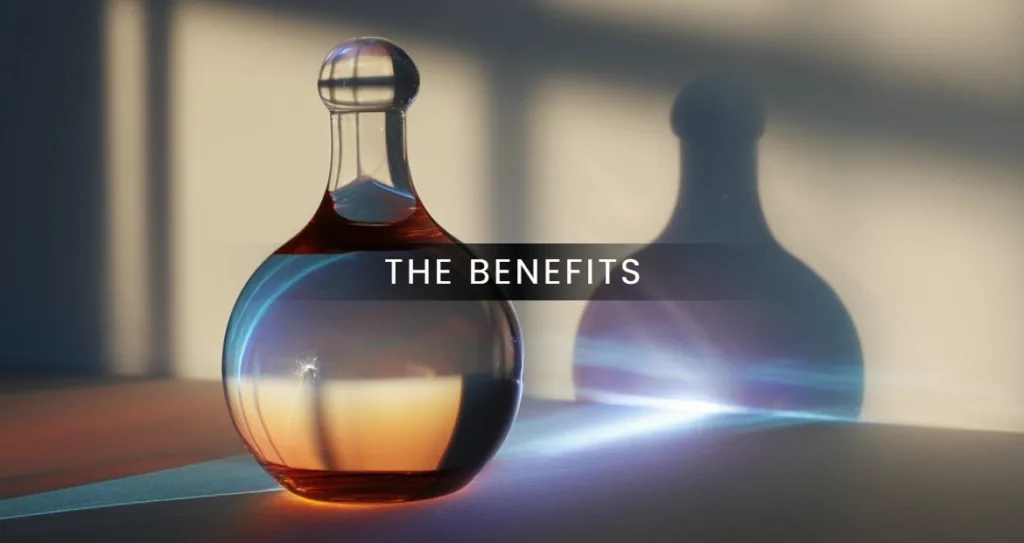
An AI-powered photoshoot gives you professional visuals without the usual costs or delays. You do not need models, studios, lighting equipment, or hours of editing. Just describe your idea, and AI brings it to life—helping you save time compared to traditional photoshoots.
This method offers incredible creative freedom. You can test multiple concepts, switch backgrounds, adjust lighting, or try new styles and experiment with different styles in minutes. What once required days of planning and reshoots now happens instantly, helping you refine your vision faster and explore bold new directions.
You also do not need photography experience. AI turns simple text prompts into realistic, on-brand images, making high-quality visual creation accessible to marketers, small business owners, designers, and everyday creators, all while delivering superior image quality.
These images fit seamlessly into digital workflows. Use them for social media, online ads, product displays, mood boards, blog headers, or campaign concepts. Because they are digital from the start, they are easy to update and adapt as your needs change.
With Pixlr, you have everything you need in one place. From your first idea to your final export, Pixlr puts pro-level AI photography in your hands anytime, anywhere. No camera. No crew. Just creativity, powered by AI.
Your First AI Photoshoot with Pixlr
Creating your first artificial intelligence photoshoot is easier than you think. With Pixlr’s intuitive AI tools, you can go from a simple idea to a polished, professional image in just a few minutes. You can generate images with different poses and outfits to create a diverse photoshoot series tailored to your needs. This step-by-step guide will walk you through the entire process, so you can start creating with confidence.
Step 1: Define Your Vision
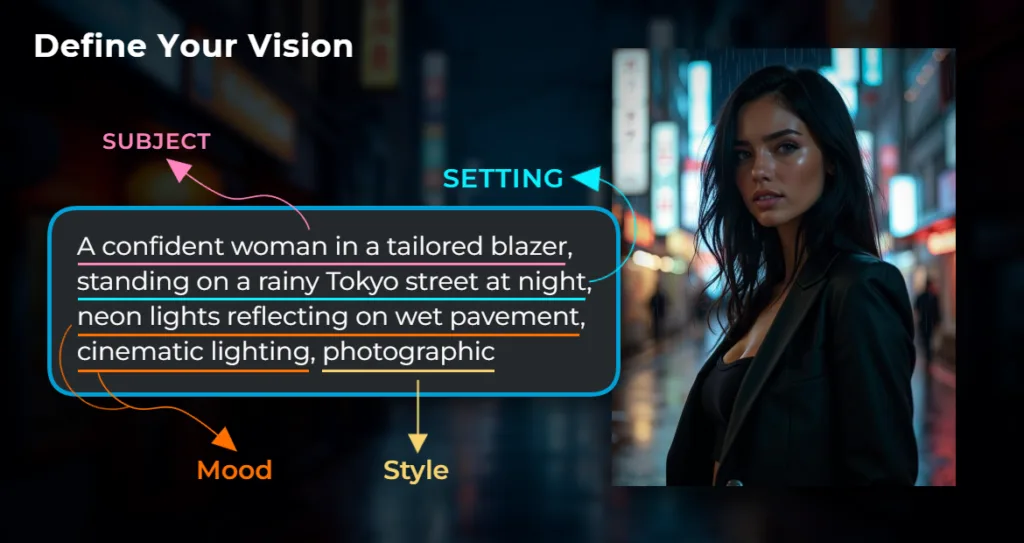
Every great photoshoot begins with a clear idea. Ask yourself what story you want to tell. Are you going for a futuristic fashion editorial? A cozy autumn lifestyle scene? A bold product showcase in a tropical setting? The more specific your vision, the better your results will be.
Write down a short description that includes the subject, setting, mood, and style. For example: “a confident woman in a tailored blazer, standing on a rainy Tokyo street at night, neon lights reflecting on wet pavement, cinematic lighting.” For even more personalized results, specify details such as hair color, eye color, body type, and hair style—e.g., “a confident woman with long black hair, blue eyes, athletic body type, and a sleek bob hair style.” Detailed prompts like this help the AI understand your intent and generate more accurate, compelling images.
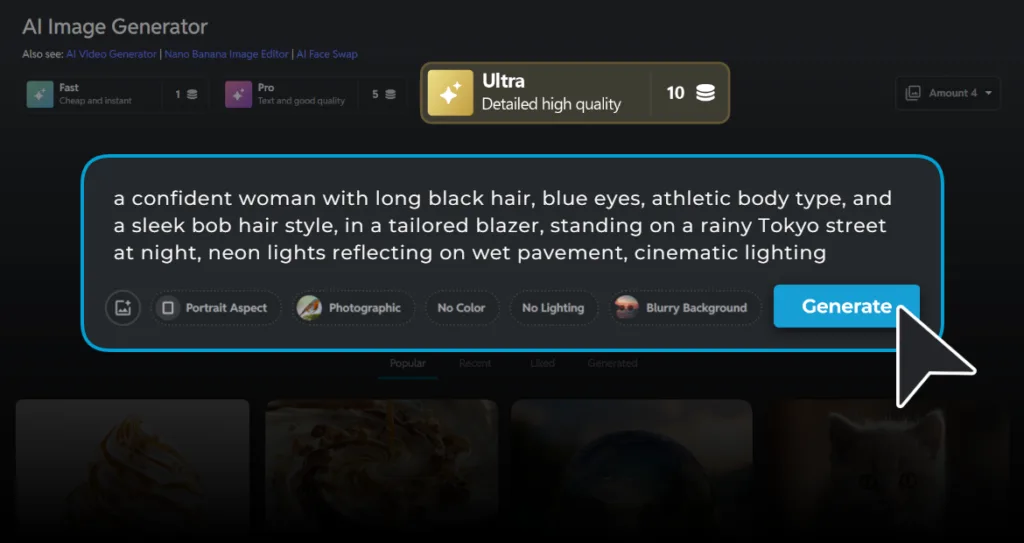
Step 2: Generate Your Base Image with Pixlr AI Image Generator
Head to Pixlr.com and open the AI Image Generator. This is where your vision starts to take shape.
Generating an image is super easy—just type your prompt into the input box, being descriptive yet concise. With just one click, you can choose a style preset that matches your goal. Options like photorealistic, cinematic, editorial, or soft portrait can dramatically influence the final look.
Pixlr offers three generation modes: Fast, Pro, and Ultra. Each mode has different capabilities and features tailored to your needs. Fast mode delivers rapid image generation for quick results, often in less than a minute. Ultra mode takes longer to render but produces higher quality images with more intricate details. Pro mode strikes a balance between speed and quality.
Once you’ve selected your preferred mode, click generate. Within seconds, you’ll see your first AI-created image appear. You can generate multiple variations to compare results and pick the one that best captures your vision.
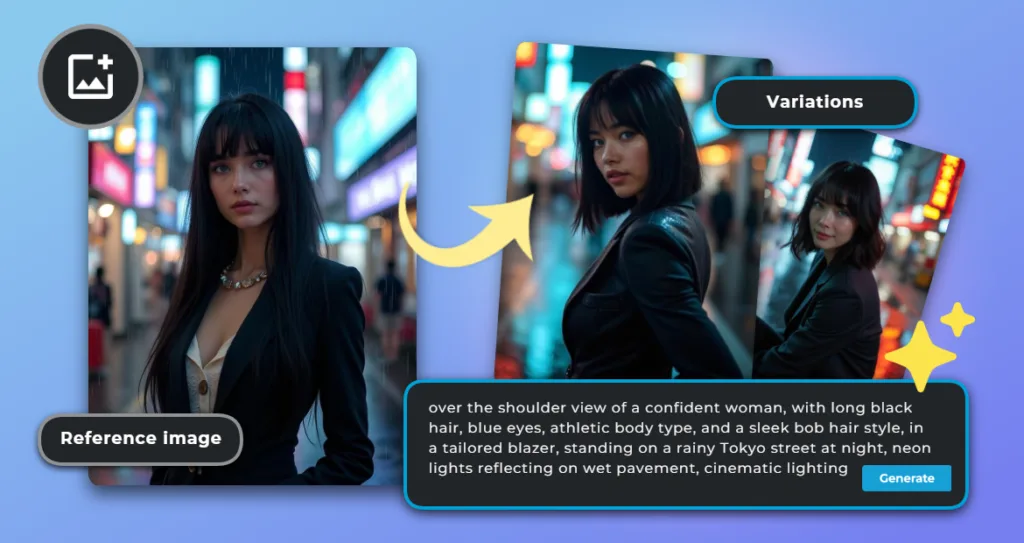
Step 3: Create a Full Photoshoot Series
A single image is just the beginning. Transform it into a complete photoshoot by generating additional shots that complement your original concept.
Experiment with different angles (“side profile,” “over-the-shoulder view”), times of day (“midnight blue tones,” “soft morning light”), emotions (“smiling,” “thoughtful gaze”), or different outfits to add variety and realism to your series. To maintain consistency throughout your series, upload a photo as a reference image. This gives the AI a clear understanding of your parameters, ensuring all generated images share the same style and cohesive look.
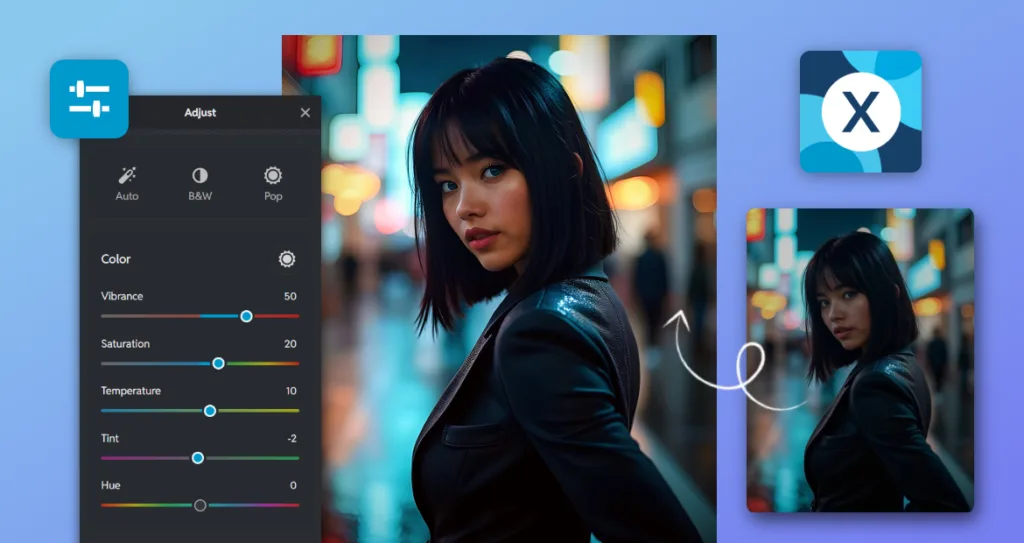
Step 4: Refine and Customize
Now it’s time to fine-tune your image. Click on “Edit Image” to seamlessly access Pixlr’s editor without downloading and re-uploading your creation.
Within Pixlr, you have complete creative control at your fingertips. Adjust colors and lighting, add fine details, or create the perfect vignette scene with just a click. Choose from over 100 preset effects to match your vision, plus a comprehensive suite of AI-powered tools. A wide variety of editing tools are available, including retouching, blemish removal, and outfit adjustments, making it easy to enhance and customize your images. These AI features can remove or replace any element, expand your image canvas, sharpen details, or reduce noise—all intelligently automated.
For advanced edits, the AI Background Remover or AI Transform cleanly isolates your subject for easy placement in new environments or to add new backgrounds. Need to swap an outfit or update specific areas? Pixlr’s Generative Fill or AI Backdrop seamlessly blend new elements while maintaining professional cohesion.
These intelligent tools empower you to edit like a pro, even without any design experience, and help you achieve amazing results with these features. Once you’re satisfied with your images, you can download them in high resolution, ready to share with the world.
Pro Tips for Stunning AI Photoshoots
To get the most out of your artificial intelligence photoshoot, keep these best practices in mind.
Be specific with your prompts.
Instead of “woman in a dress,” try “American model in a flowing emerald saree, standing on a marble balcony at sunset, soft golden light, shallow depth of field, Canon EOS R5 style, intricate clothing patterns, and elegant clothes suitable for a festive occasion.” The more detail you provide, especially about specific clothing or clothes, the closer the result will match your vision.
Don’t rely on AI alone.
Combine generated images with thoughtful manual adjustments. Use the right tool to fine-tune your AI-generated images, ensuring they meet your specific needs. Take advantage of editing tools to adjust shadows, refine edges, or add subtle textures to enhance authenticity and achieve that polished, professional look.
Maintain brand consistency.
Use Pixlr’s color picker to match your brand palette, or upload your custom typeface when adding text. This ensures your AI-generated visuals align perfectly with your existing brand identity across all platforms.
Embrace experimentation.
AI rewards curiosity, so try unexpected combinations and push creative boundaries. Generate multiple versions of each concept. Your best idea might emerge from your tenth attempt, not your first.
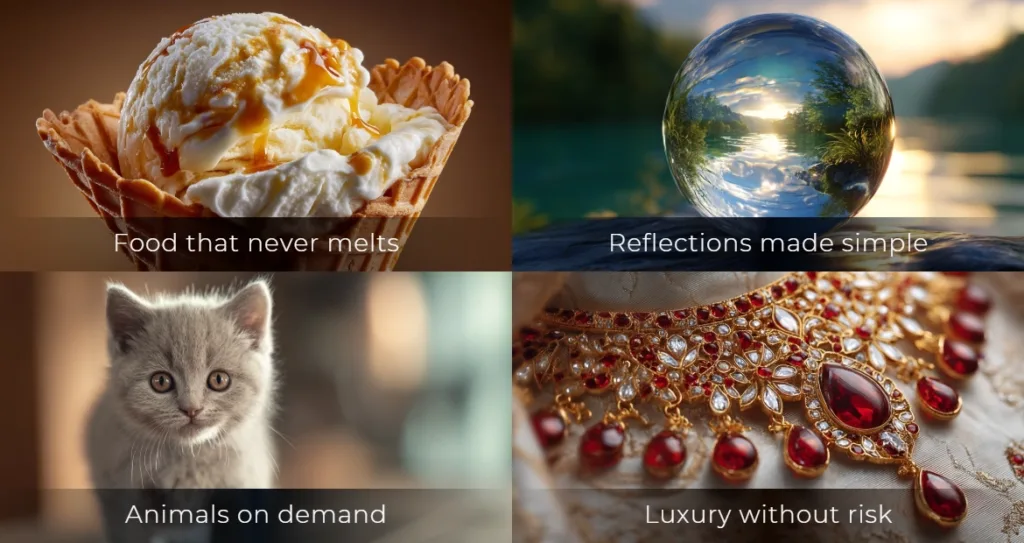
How AI Solves the Hardest Photography Challenges
For decades, certain subjects challenged even skilled photographers. Glass, jewelry, food, children, and glossy black products demand precise lighting, perfect timing, and heavy retouching. With AI photoshoots, these challenges become simple creative choices. Now, brands can use AI models and AI generated models instead of human models for product photos and product videos, making the process more scalable and cost-effective.
Glass and reflective surfaces become easy. Instead of using polarizers or stitching composites to control glare, describe what you want and get a clean result. Picture a pristine wine bottle on marble with soft, natural reflections, created safely and consistently.
Jewelry and metals no longer require macro lenses or dust-free sets. AI renders intricate gold chains and diamond rings with crisp highlights and flawless surfaces. No risk or special insurance is needed for high-value pieces. Or upload your one-of-a-kind jewelry image and your chosen background to Pixlr Nano Banana, and let AI create the perfect shot for you.
Food stays fresh forever. No wilting herbs, melting ice cream, or fake stand-ins. Ask for “vanilla ice cream with a caramel swirl, soft afternoon light, slight melt on a waffle cone, macro style.” Or “golden roasted chicken with crispy skin, rosemary garnish, warm steam, food magazine style.” Every dish looks hot, vibrant, and ready to eat for as long as you need.
Animals and children become predictable. If you want a laughing toddler holding a puppy in a sunlit garden, AI delivers consistent expressions, ideal lighting, and sharp focus. No bribes or long waits.
Dark or glossy products like black smartphones or luxury cars are rendered with rich depth, smooth gradients, and realistic form without harsh reflections.
With Pixlr, you skip the technical headaches and go straight to the result. No special gear. No reshoots. Just describe your vision in text. If you do not love the first image, regenerate or tweak the prompt for a better outcome.
Security and Safety in AI Photoshoots
As AI photoshoots become the go-to solution for creating professional headshots, product photos, and eye-catching social media content, security and safety have never been more important. With the rise of powerful AI tools, users want to know that their photos, data, and creative work are protected every step of the way.
Leading AI platforms have robust security measures. Files are encrypted and stored securely, with access limited to users. Advanced privacy controls manage who can view, edit, or share content.
AI tools comply with data protection regulations, keeping personal info and images private. Users can trust that content is handled securely. To protect work, use strong passwords, enable two-factor authentication, and review privacy settings regularly. These steps and built-in safeguards ensure a safe creative process.
Users can focus on creating stunning professional photos and headshots with peace of mind. Security is central to AI-powered photoshoots.
The Future Is Now. Start Your AI Photoshoot Today
AI photography transforms visual creation. E-commerce brands showcase products on diverse models without costly sessions. Social media managers generate on-trend content for different audiences. Designers visualize concepts before production. Emerging creatives build portfolios reflecting their unique style, no studio required.
With Pixlr’s AI-powered tools, create professional visuals exactly when needed. Achieve studio quality headshots and ai headshots with amazing results, matching the realism and professionalism of traditional photoshoots. The technology is ready and accessible.
Start your AI photoshoot journey today at Pixlr.com and turn ideas into stunning visual reality.