
Whether you are celebrating your first Valentine’s together or your 831st “I love you” moment, yes, that is 8 letters, 3 words, 1 heart, your romantic portraits and couple photos should capture the magic of your relationship. These photos are all about authentic moments, the laughter, the quiet glances, and the small rituals that make your connection unique.
Capturing that magic does not require a professional studio, perfectly coordinated outfits, or flawless lighting. Sometimes it is in the little everyday gestures, such as a quiet laugh over burnt pancakes, a hug after a long day, or a candid shot of folding laundry together like a scene from a rom-com. These genuine moments make your love story special, and they deserve to be highlighted beautifully in your couple photography.
The best part is that you do not need to be a Photoshop expert to make your romantic portraits shine. With Pixlr’s intuitive photo editing tools, you can enhance any couple photo in minutes. One-click adjustments, preset dreamy filters, heart-shaped bokeh effects, and cute romantic stickers allow you to turn ordinary snapshots into heartwarming keepsakes or social media-ready love letters.
No stress. No steep learning curve. Just you, your partner, and a little digital sparkle to reflect the warmth and joy of your relationship. Let your love look as genuine, glowing, and joyful as it should. With simple Pixlr edits for romantic portraits and couple shoots, you can capture every heartfelt moment beautifully.
Prep Couple Photos Fast in Pixlr Express
Before adding hearts, sparkles, or dreamy overlays, it is essential to create a clean and bright foundation for your photo. A well-balanced base makes every romantic edit look natural and polished. In Pixlr Express, this step takes just seconds.
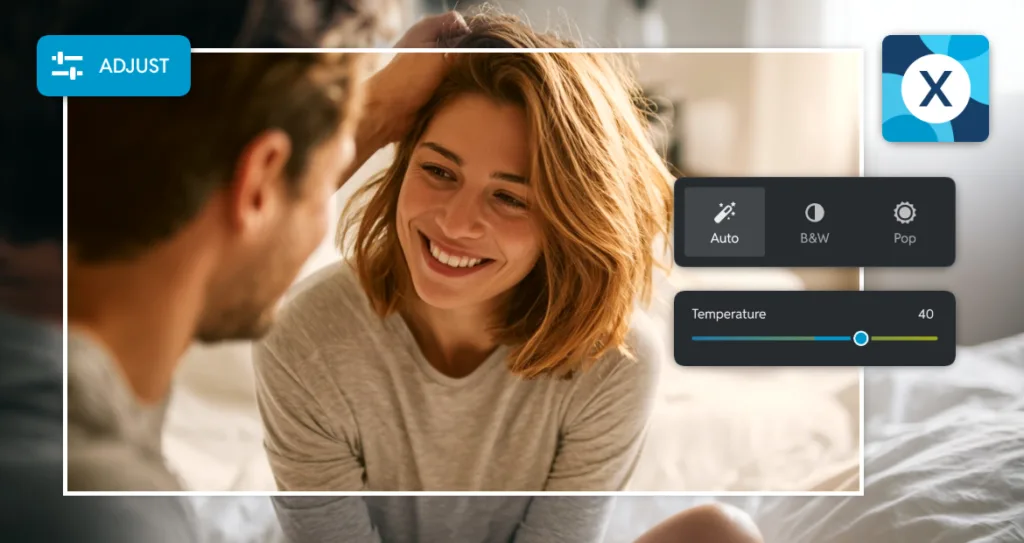
Start by tapping the Adjust tab to access powerful yet easy-to-use tools. Begin with Auto Fix, a one-tap feature that intelligently balances light, color, and contrast. This is perfect for indoor shots or dimly lit late-night selfies. If your image still feels a little flat, gently increase the Brightness to lift shadows and add warmth. Adjust the Temperature to infuse soft, golden tones, mimicking the flattering glow of sunset even if your photo was taken indoors.
For example, if you have a slightly dark picture of you and your partner cuddling on the couch, start with Auto Fix and then increase the Temperature by about 40. The result instantly transforms the image into something warm, cozy, and straight out of a romantic movie.
A helpful tip is to use the Compare button to toggle between the original and edited versions in real time. This before-and-after preview removes all the guesswork and ensures your edits enhance, rather than overpower, your special moment.
Add Romantic Elements to Couple Photos
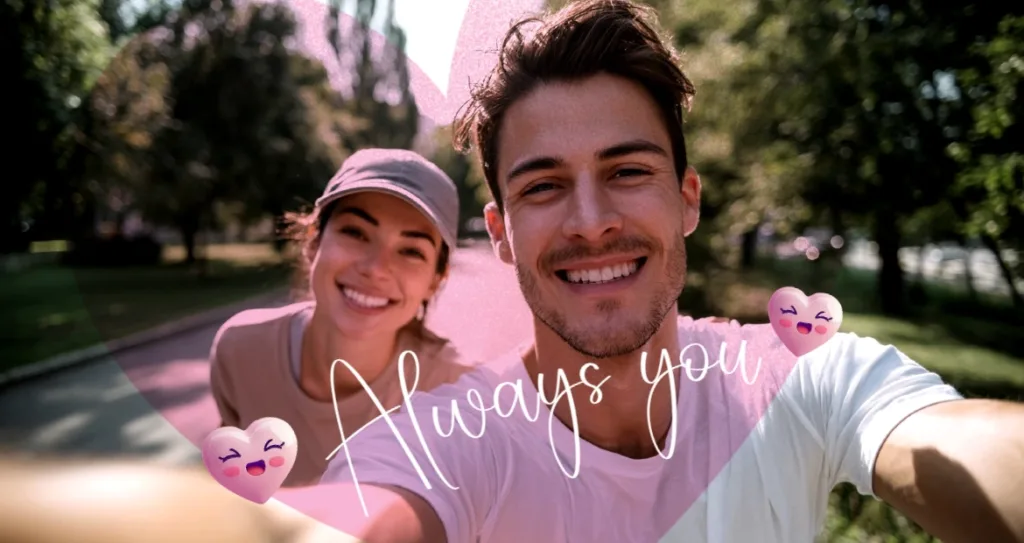
Pixlr Express makes it incredibly easy to add charm and personality to your couple photos without making them feel busy or overdone. To get started, open your photo and tap on the “Elements” tab. From there, you can search using simple romantic keywords to find the perfect finishing touches. Type in “Love” to discover a variety of sweet options like ornate hearts, 3D hearts, or cute doodles that add just a hint of romance. For a softer look, try searching “Floral” or “Abstract” to find gentle petals or wide range of abstract shapes that bring warmth and tenderness without stealing the spotlight from you two. As a quick example, take a simple sidewalk selfie and enhance it by adding a few tiny floating hearts. Just be sure to scale them down so they complement rather than crowd the image. Pair that with a handwritten phrase like “Always You” using the “Surfingboard” font found under the “Text” menu, and you have a photo that feels personal and polished. For that effortlessly cute Gen Z vibe, stick to transparent PNG elements such as single-line roses or sketched hearts. These light, airy graphics keep your edit fresh, modern, and full of heart without trying too hard.
Romantic Pixlr Express Filters for Couple Photos
You do not need professional skills to give your couple photos a heartfelt and romantic vibe. Pixlr Express includes ready-to-use filters that instantly add mood and warmth with just one tap. These filters are designed to enhance real-life moments, whether you are sharing a quiet coffee, walking hand in hand, or celebrating a special occasion. Your photos will feel authentic while looking beautifully edited.
Start by tapping the Effect icon on the side navigation bar and exploring presets such as Friends, Instage, Portrait, or Colors. The choice depends on the mood and feel you want to achieve. Melissa from the Friends preset adds rich, warm yellow-red undertones that evoke passion and work especially well for Valentine’s Day, anniversaries, or candlelit dinners. Country from the Instage preset softens tones with a golden, slightly hazy effect that mimics golden hour, making it ideal for park strolls, café dates, or lazy Sunday mornings. For more intimate or dramatic shots, Deep from the Portrait preset adds subtle shadows and depth while maintaining a tender mood, perfect for close-up portraits or indoor lighting with soft ambiance.
Adjust the density of each effect using the slider to control how much of the filter appears in your image. This ensures the mood you want is achieved without overpowering the photo.
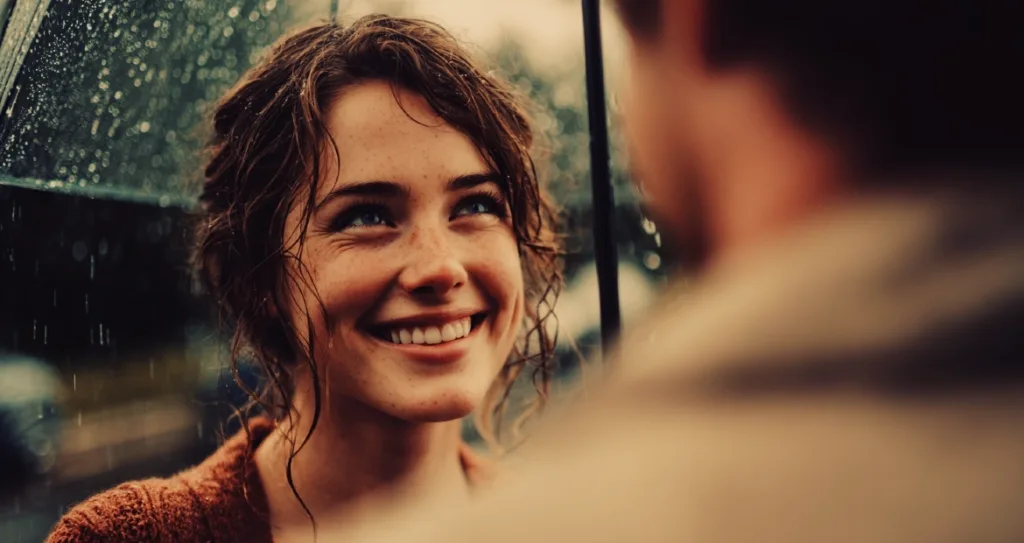
A simple way to see the magic is to take a rainy-day photo of you and your partner under an umbrella, apply Country from Instage presets at around 60 percent intensity, and then add a soft vignette at 50 percent from the Adjust menu. This gently darkens the corners and draws attention to your face. Remember that less is often more. Use the intensity slider to tone down any filter so your skin tones remain natural while still achieving a dreamy, golden warm, editorial-quality glow.
With these tools, every couple photo you edit can feel like a page from your own love story, effortless, emotional, and uniquely yours.
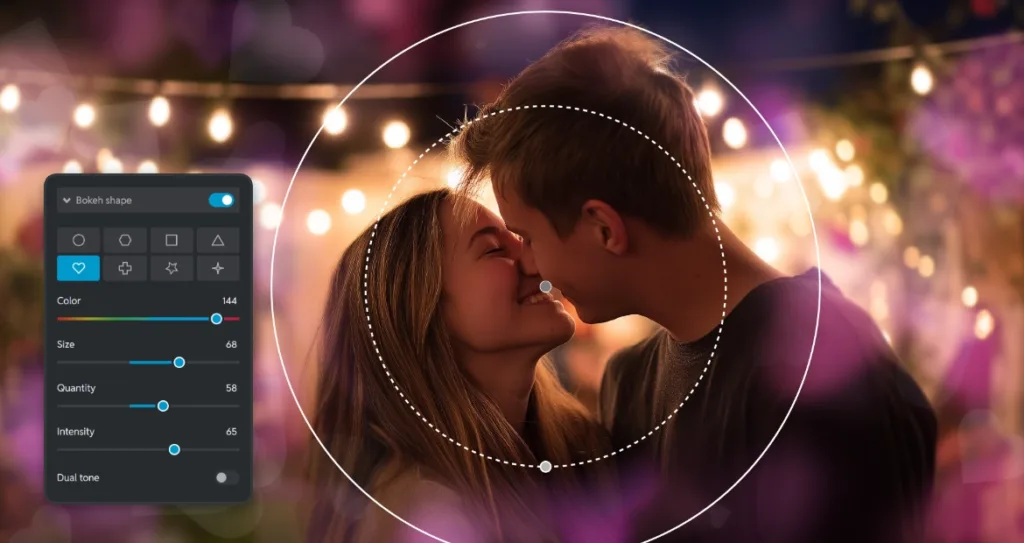
How to Add Heart Shaped Bokeh to Couple Photos in Pixlr Express
Give your romantic photos an extra sprinkle of love with heart shaped bokeh, a dreamy and eye-catching effect that turns simple background lights into floating symbols of affection. This feature is built directly into Pixlr Express and works beautifully for evening shots, cityscapes, fairy lights, or the soft glow of string lights in your bedroom.
To create this effect, start by uploading your couple photo into Pixlr Express. Click on the Filter tab and select Bokeh from the options. Choose the orientation that matches your image, either vertical or horizontal, so the effect aligns naturally with your composition. Before selecting the heart shape, tap Soft Blur to create a smooth, dreamy background that allows the bokeh to stand out.
Next, tap Bokeh Shape and select the heart icon. This instantly adds a romantic touch to your photo. Fine tune the effect to suit your image. Use the color wheel to choose a shade that complements the mood, such as soft pink for sweetness, warm gold for intimacy, or classic red for bold romance. Adjust the quantity slider to control the number of hearts, with 50 to 70 percent creating a balanced look. Then increase the intensity to between 60 and 80 percent so the hearts are visible but not overpowering.
For example, try this on a nighttime photo of you and your partner under string lights. Apply heart bokeh in a soft rose gold tone and watch the background transform into a gentle ripple of love. Make sure your couple is in focus and the background contains small, bright points of light. If your photo is too dark or lacks light sources, add subtle sparkle elements from the Elements tab under Sparkle, then apply the bokeh effect on top.
This simple yet powerful trick gives your couple photos a polished, intentional feel. It is perfect for Valentine’s Day posts, anniversary tributes, or sharing everyday moments of love in a magical way. Because everything is done within Pixlr Express, you get stunning, share-ready results without any complicated steps or editing stress.
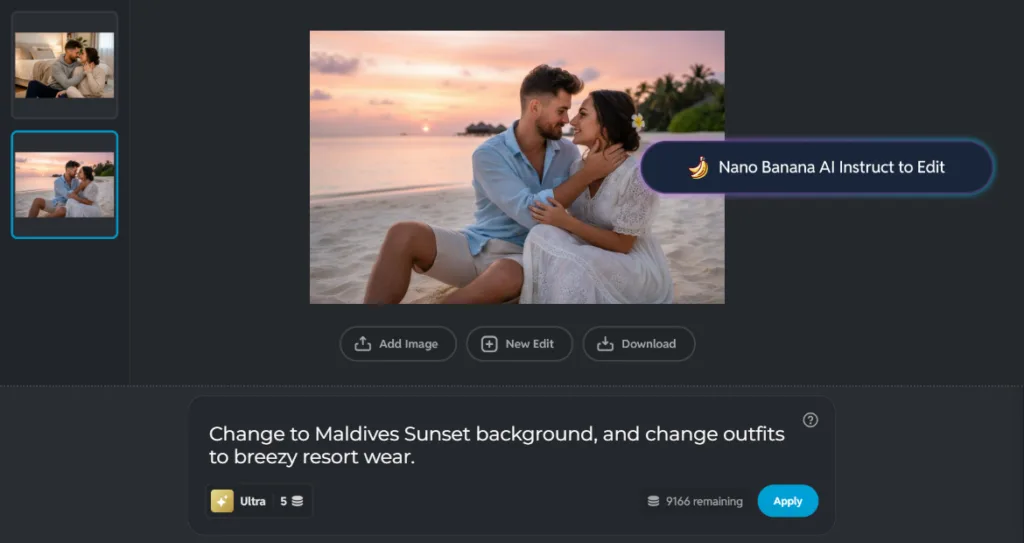
Create Dreamy Romantic Couple Scenes with Pixlr Nano Banana
Imagine you and your partner walking hand in hand along a Venetian canal or lounging on a sunlit Maldives beach, even if you have never left your living room. With Pixlr Nano Banana, you can transform any ordinary couple photo into a romantic getaway in just a few taps.
Start by uploading a clear head-and-shoulders photo of you and your partner together. The AI will automatically detect your faces and keep them intact while replacing the background and surroundings. Choose a romantic background from the curated library. Options include gondola-lined canals in Venice, turquoise waters of the Maldives, cherry blossom gardens in Kyoto, or a cozy Parisian street at dusk.
Remember to match your outfit with the location by describing the outfit on Pixlr’ s Nano Banana. Try flowing linen for a tropical escape, elegant evening wear for a dreamy city date, or matching cozy sweaters for a winter-in-love vibe. The best part is that your real expressions and connection remain unchanged. Only the setting and outfits are transformed, keeping the photo authentic yet magical.
For example, upload a simple selfie from your bedroom, select the Maldives Sunset background, and change your outfits to breezy resort wear. In seconds, you have a vacation-style couple photo perfect for Valentine’s posts or anniversary tributes. Pixlr Nano Banana allows you to live out romantic fantasies together without a passport or professional photoshoot. Once your romantic photo is exactly how you want it, sharing it with the world or just your partner is quick and effortless.
Turn Everyday Moments Into Love-Filled Memories
Your relationship is full of small, beautiful moments worth celebrating, whether it is a quiet morning coffee, a shared laugh over laundry, or a spontaneous sidewalk selfie. With Pixlr Express and Pixlr Nano Banana, capturing and sharing the magic of your relationship has never been easier or more enjoyable.
Use Pixlr Express to quickly enhance your images with romantic filters, heart shaped bokeh, soft lighting adjustments, dreamy stickers, and personalized text. These features allow you to bring warmth, mood, and personality to your photos while keeping editing simple and intuitive. Then take your creativity further with Pixlr Nano Banana, which transforms ordinary snapshots into immersive romantic scenes. You can change backgrounds to exotic destinations, add stylish outfits, or craft cinematic compositions, all while keeping your real expressions and authentic connection intact.
When you are done, share your creation with someone who matters and tag us so we can admire your edit. Love is not about perfection. It is about presence, joy, and the little touches that say “you mean everything.”
Start editing your couple photos today with Pixlr Express, simple, sweet, and made for moments like yours.