
What if you could turn your Pinterest saves, phone photos, and color swatches into one beautiful visual story without spending hours on complicated design tools? With Pixlr, creating a stunning mood board is quick, simple, and completely free.
Whether you are planning a wedding, designing your brand identity, or collecting inspiration for your next project, Pixlr gives you everything you need to build a professional creative mood board in just a few minutes. Upload your images, pick a layout that suits your style, and bring your vision to life with ease.
What Is a Mood Board and Why You Actually Need One
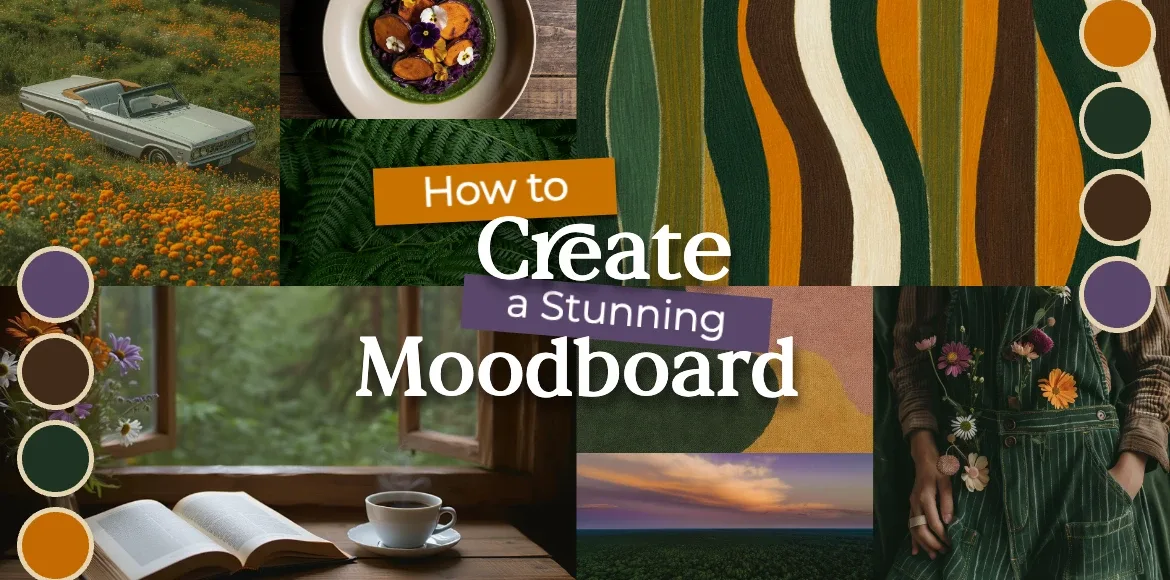
A mood board, also known as an inspiration board or vision board, is more than a collage of pretty pictures. It is a visual tool that captures the mood, feeling, and direction of your ideas. You can combine photos, colors, textures, fonts, and words to create a single, cohesive visual guide.
Mood boards are perfect for brand design, weddings, home decor, fashion, or any creative project. Instead of struggling to describe your vision with words, a mood board shows it clearly in one place. This makes it easier to share your ideas, stay focused, and make confident, creative decisions.
The best part is that you do not need design experience. With Pixlr, you can create a professional-looking board quickly, whether for personal use or client presentations.
Popular Mood Board Ideas to Inspire You
Before you begin, it helps to think about the type of mood board you want to create. Different projects need different styles of inspiration.
Create a Mood Board in Pixlr, Two Easy Ways
The easiest way to make a mood board online is with Pixlr, a powerful yet beginner-friendly photo collage app. You can choose between two simple methods depending on how much creative control you want.
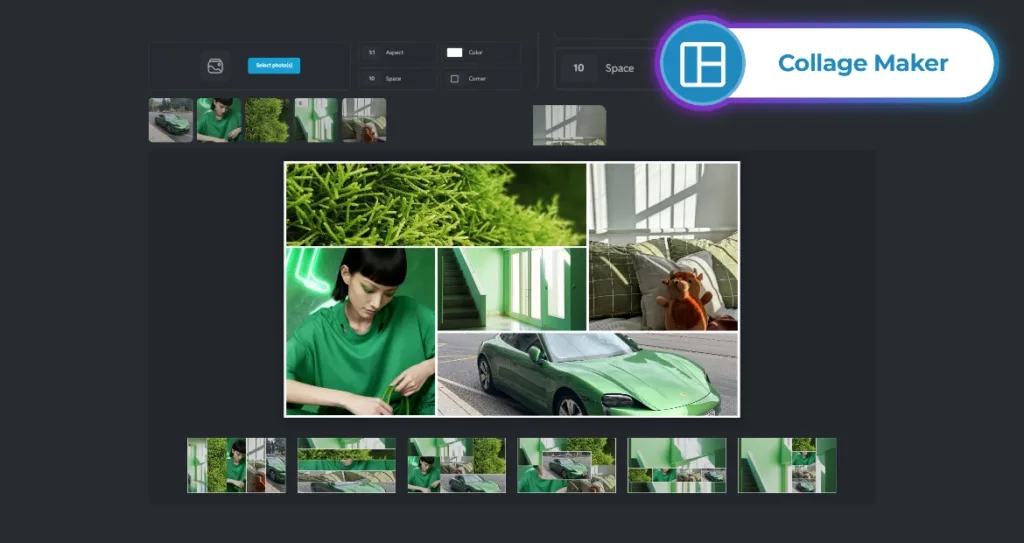
Method 1: Quick and Effortless with Pixlr’s Free Collage Maker
If you’re short on time or just starting out, this is the easiest way to build a mood board. Simply open Photo Collage Maker on Pixlr.com, upload all the images you’ve collected (from Pinterest, your camera roll, or screenshots), and let the tool do the heavy lifting.
Pixlr’s Photo Collage Maker will automatically suggest smart layouts that arrange your photos neatly without overlapping or crowding. From there, you can fine-tune the look in seconds: adjust how much space sits between each image, change the background color behind your whole collage (try soft white for minimalism or deep charcoal for drama), and even give your photos stylish corners. You can round them slightly for a gentle, friendly feel, or chop them at sharp angles for something more modern and bold. These tiny details might seem small, but they actually help your whole board feel intentional and polished.
This method works especially well if you’re making a personal vision board, a travel memory collage, or a quick reference for a DIY project.
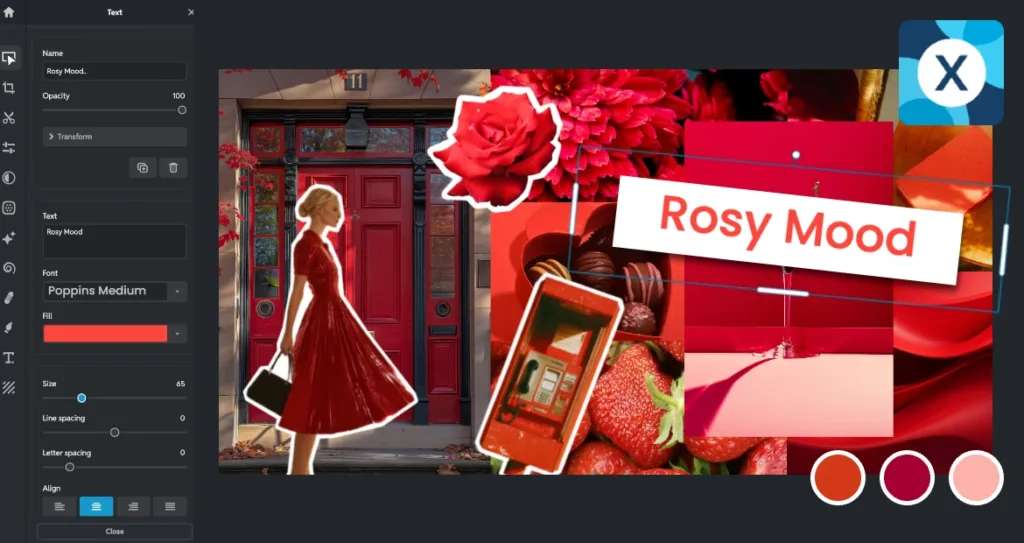
Method 2: Full Creative Control with Pixlr Express
If you want more precision, such as placing images in exact positions or layering text and graphics over your visuals, Pixlr Express gives you complete creative freedom. Begin by creating a new blank canvas in your preferred size. You can even select common social media dimensions if you plan to share your mood board online. Next, decide how many images you’d like to include and add a frame from Pixlr’s library for each one. With over 100 frame shapes available, you can choose from classic rectangles, circles, abstract blobs, torn paper edges, and many more. These frames work like photo placeholders, so when you drop your image inside, it scales cleanly without becoming blurry or distorted.
Once your images are arranged, you can add finishing touches to bring your mood board to life. Explore the Elements tab to find decorative graphics, seasonal icons like autumn leaves or winter snowflakes, arrows, or texture overlays that add depth and personality. You can also include text, perhaps a single keyword like “calm,” an inspiring quote, or a practical label such as “Primary Colors.” When your design feels just right, simply export it in the format that works best for you. Save as JPG for everyday use, PNG if you need a transparent background, WebP for fast-loading web content, or PDF for client presentations and printing.
This method is ideal for designers, small business owners, or anyone creating a mood board for professional purposes, such as a brand guideline preview or an interior design proposal.
Pro Tips to Make Your Mood Board Look Professional
Even if you’re using beautiful images, your mood board can still feel disorganized if the elements don’t work together. The difference between a good mood board and a stunning one often comes down to small, thoughtful details. These practical tips will help you create a polished and intentional design, even if you’ve never made one before.
Keep your corners consistent
In Pixlr, you can give your photos soft rounded corners (like those on a smartphone) or sharp, cut-off corners (like a magazine tear-out). Stick to just one style across your entire board. This helps everything feel like it belongs together and creates a smoother visual flow.
Limit your color palette
Too many colors can make your mood board feel chaotic. Instead, choose a small set of colors that reflect your theme—for example, terracotta and cream for warmth, or navy and gold for elegance. Use Pixlr’s eyedropper tool to sample a color from one image and find matching visuals.
Avoid overcrowding
It’s tempting to include every inspiring image, but too many elements can overwhelm the viewer. Pick one or two “hero” images that capture your main idea, and use the rest as supporting visuals. You can make them smaller or slightly faded to keep the focus clear.
Embrace empty space
Leaving some blank areas (also called “negative space” in design). In fact, space adds balance, sophistication, and breathing room to your layout.
Save in the right format
Save as PDF if you’re sharing with clients or printing, since it preserves quality and layout. Use PNG for transparent backgrounds or social media, and WebP if you need fast-loading images for websites or blogs.
With just a few mindful choices, your mood board can go from scattered inspiration to a clear, compelling visual story. Whether you’re designing for fun or for work, these small tweaks make a big difference in how your ideas are received.
Start Building Your Mood Board Today!
Creating a mood board once meant spending hours cutting out magazine clippings or figuring out complicated design software. With Pixlr, you can now turn your ideas into a beautiful, shareable vision board in under 10 minutes.
Whether you use the free collage maker for quick results or Pixlr Express for full customization, you are doing more than designing an image — you are shaping your vision, sparking creativity, and setting yourself up for success.
Start your creative journey today with Pixlr’s all-in-one subscription, giving you full access on both desktop and mobile.