Meet Your New Creative Team: How Pixlr AI Handles Design, Photography, Video, and Music

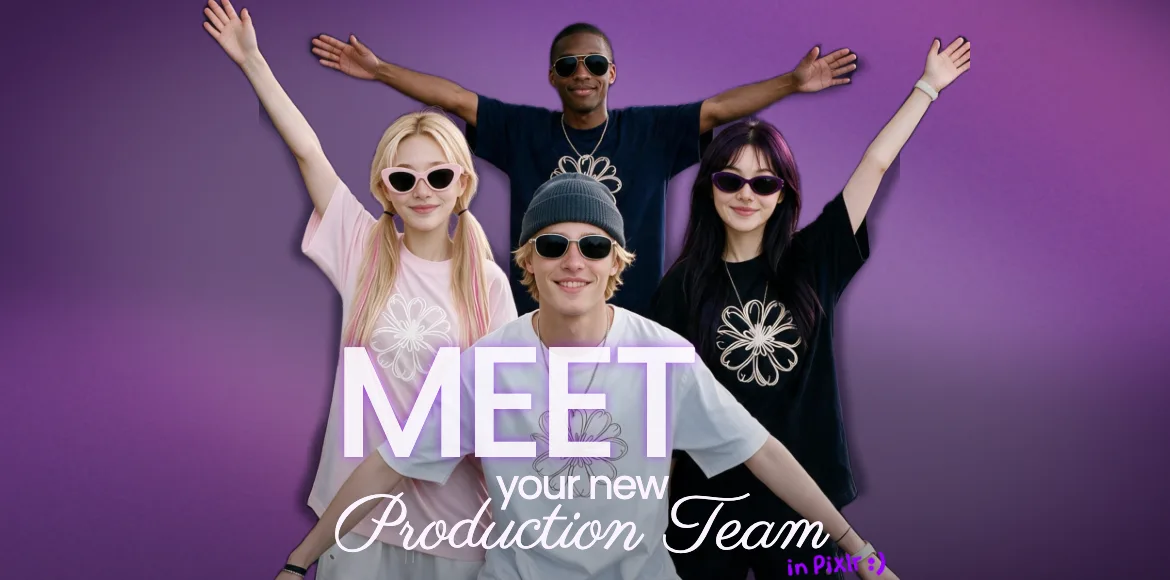
You don’t need a full studio, a roster of freelancers, or a massive budget to produce professional content anymore. With Pixlr’s AI tools, you can act as Creative Director and build a virtual team that works on demand.
The AI creative team, explained
The idea is simple: instead of hiring a graphic designer, photographer, videographer, and music composer separately, you brief Pixlr’s AI tools with a text prompt and get usable assets in seconds.
Pixlr’s AI suite covers the four most important creative roles:
- Graphic Designer — AI Image Generator
- Photographer — AI Image Generator with photorealistic presets
- Videographer — AI Video Generator and motion tools
- Music Composer — AI Audio Generator
You become the creative director. The AI handles the production work.
Why this workflow wins
The AI Creative Team approach removes the biggest bottlenecks in content production.
- Speed: No scheduling, no waiting on revisions, no back-and-forth emails.
- Cost: You get agency-level output without agency-level invoices.
- Creative control: You iterate instantly without worrying about hurting a collaborator’s feelings.
- Integration: Everything happens inside Pixlr, so you can move from image to video to audio without switching platforms.
How to brief your AI team in Pixlr
Start with the Graphic Designer
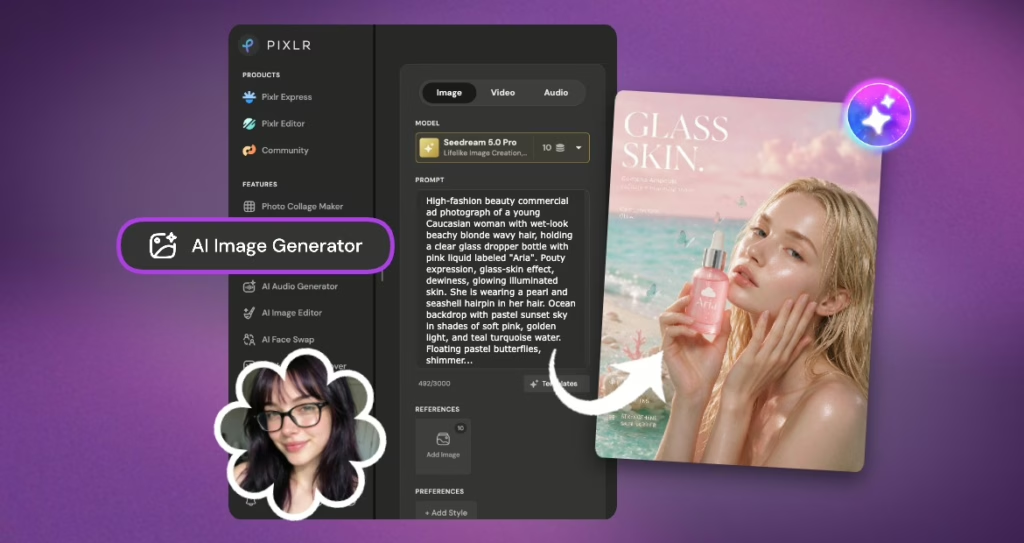
Your Graphic Designer turns ideas into visual assets. In Pixlr, that means using the AI Image Generator to create logos, illustrations, social graphics, posters, and more, including complete posters with perfect typography built right in. Treat text as your design brief. Be specific about style, color, composition, and subject.
Example poster prompt: “High-fashion beauty commercial ad photograph of a young Caucasian woman with wet-look beachy blonde wavy hair, holding a clear glass dropper bottle with pink liquid labeled “Aria”. Pouty expression, glass-skin effect, dewiness, glowing illuminated skin. She is wearing a pearl and seashell hairpin in her hair. Ocean backdrop with pastel sunset sky in shades of soft pink, golden light, and teal turquoise water. Floating pastel butterflies, shimmering water droplets, sparkling light bokeh, and glowing air particles around her. In the foreground, white pearls, pink seashells, coral, and starfishes emerge from the water line. Soft dreamy aesthetic, ethereal lighting, studio beauty lighting, 8k resolution, photorealistic, shot on 85mm lens, f/1.8, cinematic retouching”
Generate four variations, pick the strongest one, and then open it in the Pixlr Editor to refine any details or adjust the text if needed. You now have a production designer who never sleeps and never misses a deadline.
Bring in the Photographer
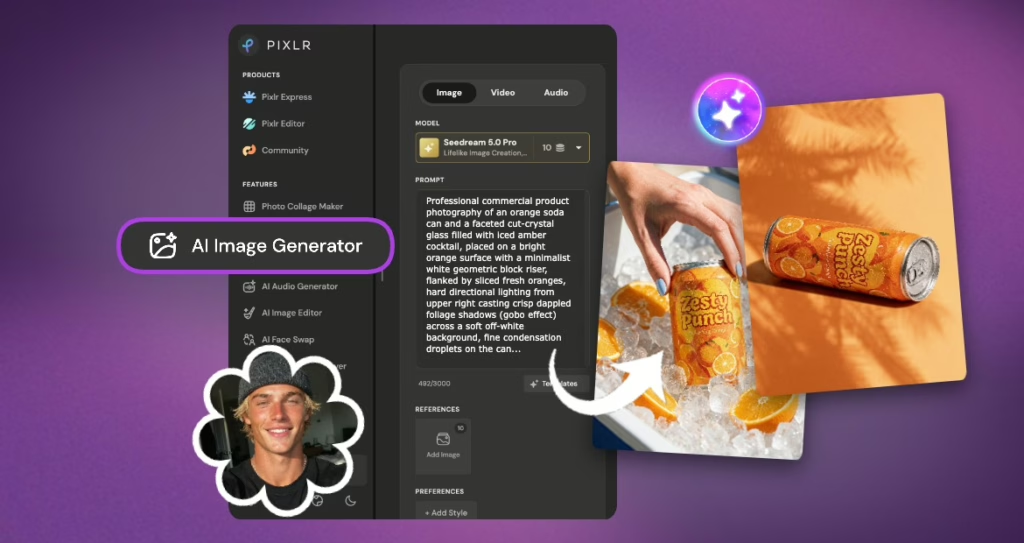
Your Photographer handles high-quality, realistic imagery. With Pixlr’s AI Image Generator, switch to photorealistic presets and think like a photographer setting up a shot. Specify lighting, lens, angle, and mood.
Example prompt: “Professional commercial product photography of an orange soda can and a faceted cut-crystal glass filled with iced amber cocktail, placed on a bright orange surface with a minimalist white geometric block riser, flanked by sliced fresh oranges, hard directional lighting from upper right casting crisp dappled foliage shadows (gobo effect) across a soft off-white background, fine condensation droplets on the can, sharp specular highlights, high contrast, vibrant saturated warm tones, bright sunlight aesthetic, shot on 85mm lens, f/8 aperture, crystal-clear focus, 8k resolution.”
Generate in high resolution so the image looks sharp on your website, blog, or print materials. You can now “shoot” in Paris, Tokyo, or a cozy studio without leaving your desk.
Direct the Videographer
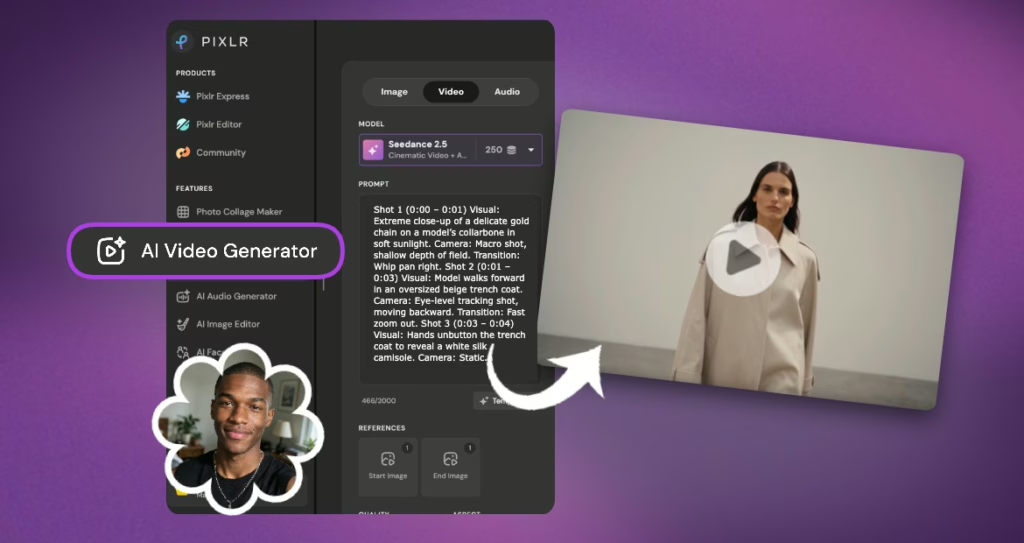
Your Videographer turns static visuals into motion. Pixlr’s AI Video Generator and animation tools let you bring images to life without actors, cameras, or lighting rigs.
Start with a still image from your AI Photographer, then use motion tools to add subtle movement, a slow zoom, drifting clouds, or flowing water. You can also generate short looping clips directly from text prompts.
Example prompt: “Shot 1 (0:00 – 0:01) Visual: Extreme close-up of a delicate gold chain on a model’s collarbone in soft sunlight. Camera: Macro shot, shallow depth of field. Transition: Whip pan right. Shot 2 (0:01 – 0:03) Visual: Model walks forward in an oversized beige trench coat. Camera: Eye-level tracking shot, moving backward. Transition: Fast zoom out. Shot 3 (0:03 – 0:04) Visual: Hands unbutton the trench coat to reveal a white silk camisole. Camera: Static, focused on the hands and fabric texture. Transition: Match cut. Shot 4 (0:04 – 0:06) Visual: Model spins in a high-waisted beige linen skirt in slow motion. Camera: Low-angle dolly shot arcing around her. Transition: Hard cut to black. Shot 5 (0:06 – 0:07) Visual: Side profile of the model standing calm in a black leather blazer. Camera: Static side profile, minimalist background. Transition: Fast zoom in. Shot 6 (0:07 – 0:09) Visual: Close-up of a silver hoop earring as the model turns sharply to face the camera. Camera: Medium close-up, focused on the turn. Transition: Whip pan left. Shot 7 (0:09 – 0:10) Visual: Model walks down a modern concrete staircase in navy trousers and a white tee. Camera: High-angle top-down tracking shot. Transition: Hard cut. Shot 8 (0:10 – 0:12) Visual: Model sits on a white cube holding a leather handbag, smiling subtly at the camera. Camera: Static eye-level shot with soft side lighting. Transition: Fast montage (three 0.3s cuts). Shot 9 (0:12 – 0:13) Visual: Rapid cuts: loafers stepping on wood / zipping a leather tote / placing sunglasses on a table. Camera: Static product close-ups. Transition: Dissolve to white. Shot 10 (0:13 – 0:15) Visual: Model in a monochrome jumpsuit turns and glances over her shoulder in an empty white room. Logo “Ru” and text “By Ruby” appear. Camera: Wide shot pulling back slowly. Transition: Fade to white.”
Assemble the clips in a timeline, and you have B-roll or social-ready video content in minutes.
Score with the Music Composer
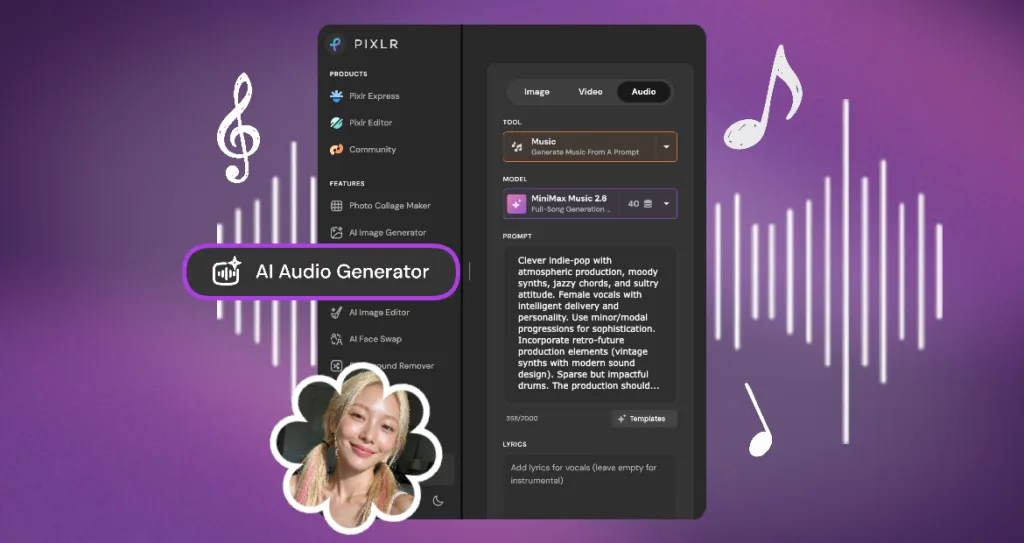
Your Music Composer sets the emotional tone. Pixlr’s AI Audio Generator creates custom tracks based on the mood you describe.
Example prompt: “Clever indie-pop with atmospheric production, moody synths, jazzy chords, and sultry attitude. Female vocals with intelligent delivery and personality. Use minor/modal progressions for sophistication. Incorporate retro-future production elements (vintage synths with modern sound design). Sparse but impactful drums. The production should feel slightly dark but stylish. Build from intimate verse to confident chorus. 102 BPM. The vibe should be intelligent, observant, slightly cynical but in a fun way — like someone commenting on relationships with wit and style. Lyrics: [Verse 1] You come on strong like morning coffee Trying to be smooth but I see right through All your lines and all your tactics Think you’re suave but you’re just a fool You move too fast, I move too slow This is where it ends, it’s time to go [Chorus] I’m not your late night thought When you’re bored and caught I’m not your backup plan I’m too much woman for that I’m not your late night thought You’re already forgot I’m out, I’m gone, I’m through This ain’t what I’m about [Bridge] You’ll regret it but won’t admit That’s just ego, I won’t sit With that [Outro] I’m not your late night thought.”
Import the generated audio directly into your Pixlr video project and sync it with your visuals. No more settling for “close enough” stock music. This is a custom score for your content.
Ideas to remix
Once you have your AI team in place, experiment with different workflows:
- Style mashups: Ask the Graphic Designer for “product shot in the style of Wes Anderson.
- Cinematic stills to video: Generate a photorealistic image, add a slow zoom, and score it with ambient audio.
- Brand kit generator: Use the same color and style keywords across all four roles to create a cohesive campaign.
- Audio-first workflow: Generate the music first, then build visuals to match the mood.
- Quick social ads: Combine Photographer + Videographer + Music Composer in one Pixlr session for a complete promo.
Ready to staff your virtual agency? Head over to Pixlr and start briefing your new AI team today. No timesheets required.