
A whirl of motion that makes fabric dance like liquid silk. A pixel stretch that pulls your subject into a futuristic warp. A flowing pixel effect that dissolves reality into a stream of digital particles. By adding motion effects to your prompts, you can transform a frozen moment into an image that feels alive, pulsing with energy, speed, and visual tension. That is the creative power of Motion Effects Prompts. Instead of generating a static, posed image, you can guide the AI to infuse your visuals with kinetic energy, making the final result feel like a frame pulled from a sci-fi film, a high-fashion editorial, or a surreal digital dreamscape.
What are Motion Effects Prompts?
Motion effects prompts are detailed instructions that tell an AI image generator to apply specific types of visual movement to your subject or scene. They help control how energy flows through the image, including:
- How the subject appears to be in motion; spinning, stretching, or dissolving
- Which elements stay sharp and which blur into abstraction
- Whether the image feels dreamy, futuristic, chaotic, or elegant
- How color and light trail through the composition
- What emotional rhythm the scene communicates
Why it works
- Stillness meets velocity. The tension between a sharp focal point and surrounding motion blur creates a visual hook that stops the scroll. The eye instinctively tries to resolve the contrast.
- A single effect tells a story. A whirl suggests transformation or trance. A pixel stretch implies speed, distortion, or digital glitch. Flowing pixels evoke data streams, memory decay, or surreal transitions. Each effect carries its own narrative weight.
- Cinematic drama without a camera rig. Motion effects simulate long exposures, digital manipulation, and in-camera techniques that would otherwise require expensive equipment, post-production software, or complex shoots, all from a text prompt.
How to Prompt Motion Effects on Pixlr
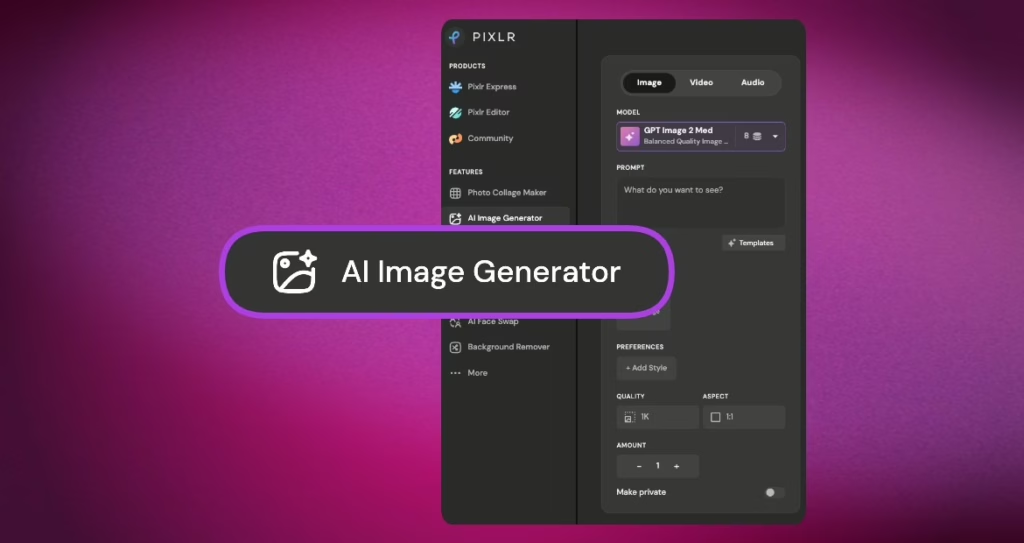
Step 1: Open Pixlr’s AI Image Generator
Choose the best fit AI Model in Pixlr AI Image Generator for image generation.
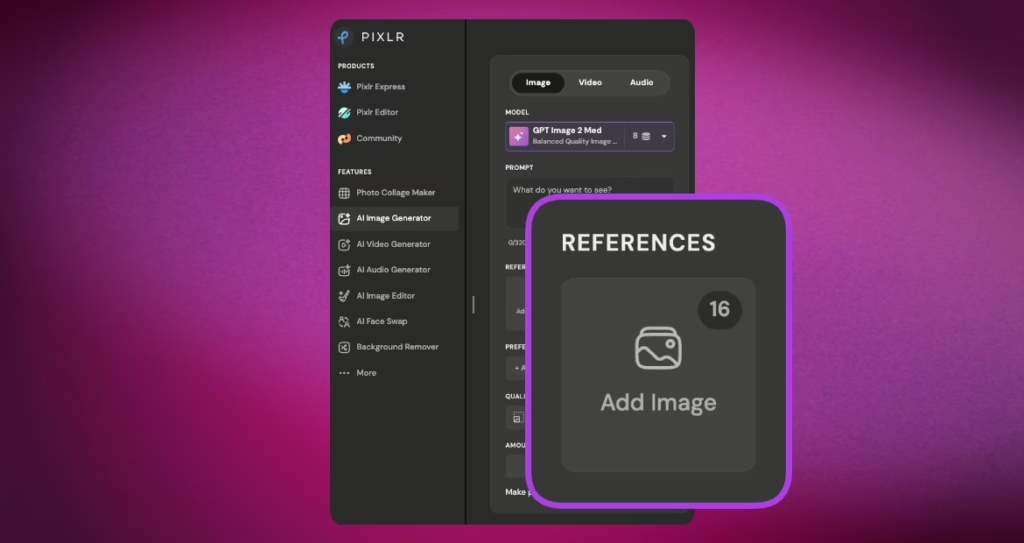
Step 2: Upload your Image (If needed)
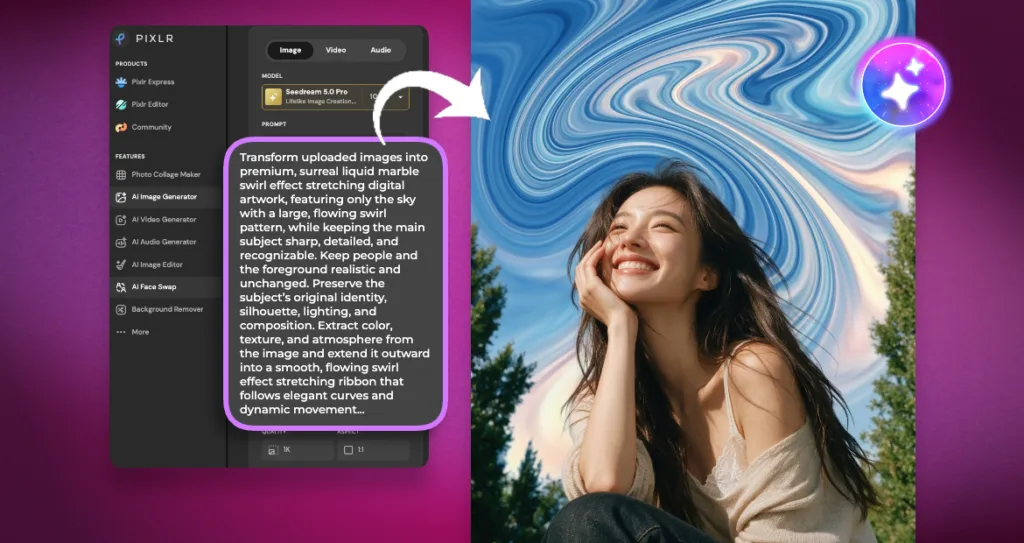
Step 3: Add the motion prompt.
“Transform uploaded images into a premium, surreal liquid marble swirl effect stretching digital artwork, featuring only the sky with a large, flowing swirl pattern, while keeping the main subject sharp, detailed, and recognizable. Keep people and the foreground realistic and unchanged. Preserve the subject’s original identity, silhouette, lighting, and composition. Extract color, texture, and atmosphere from the image and extend it outward into a smooth, flowing swirl effect stretching ribbon that follows elegant curves and dynamic movement. Create a seamless transition between the original photo and the stretched area, without interruption, broken swirls, or rough edges. The stretched swirl should look smooth, flowing, and organic—like a stream of color, light, paint, smoke, or energy flowing through the scene. Preserve depth, shadows, reflections, and realistic natural lighting. Enhance images with cinematic contrast, vibrant HDR colors, ultra‑sharp details, and a luxurious digital art aesthetic. Style: Adobe Photoshop swirl stretching effects, fluid motion blur, flowing light trails, abstract energy waves, gallery‑quality digital artwork, modern minimalist compositions, cinematic photography, 8K ultra‑high resolution, premium social media masterpieces. Keep the subject intact and clear while the environment transforms into artistic fluid motion.”
More Motion Effects to Try
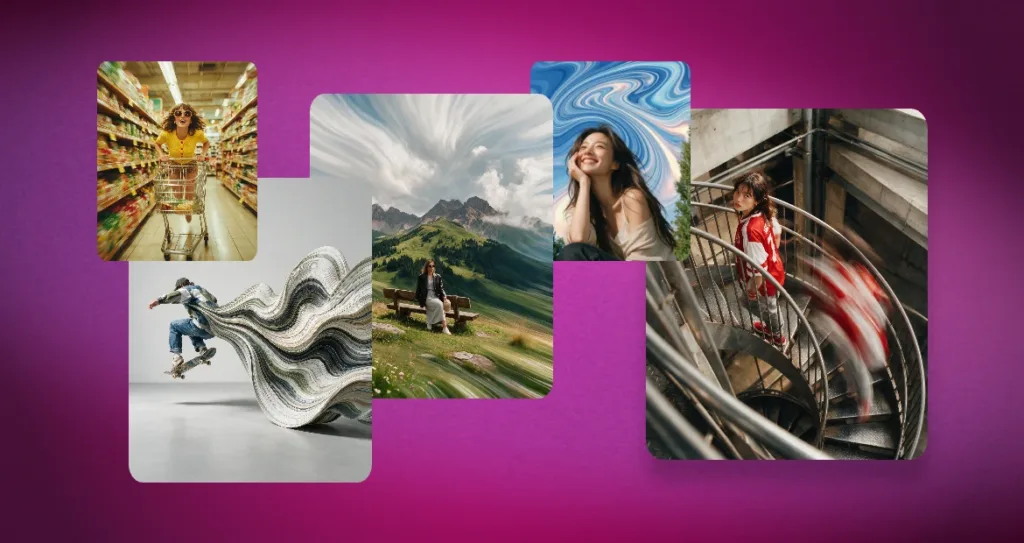
1. Pixel Stretch – “Transform the uploaded landscape into an elegant pixel stretch artwork. Keep mountains, trees, buildings, roads, people, and other main subjects completely realistic and untouched. Stretch only the sky, ground, or selected background into long, flowing pixel trails that curve gracefully across the frame. Use colors extracted from the original image to create smooth layered streaks with seamless transitions, soft motion, cinematic depth, realistic HDR lighting, luxury editorial color grading, ultra-clean composition. Keep the other element static.”
2. Flowing Pixel – “A photorealistic skateboarder suspended mid‑air in a minimalist seamless light‑gray studio. Subject positioned on the left side of the frame, casting a soft natural shadow across the smooth floor. From the camera‑right side of the figure’s back and hip emerges a single continuous generative ribbon — thousands of ultra‑fine parallel contour lines forming fluid topographic waves and organic S‑curves. The ribbon expands outward in seamless connection to the subject, appearing as motion stretched into an elegant flowing sculpture. The ribbon surface has silky laminated texture, subtle paper‑like layering, liquid displacement flow, marble‑like striations, and premium generative design aesthetics. Colors are sampled directly from the subject’s clothing and skateboard — denim blue, white, olive green, charcoal gray, warm beige, muted brown — ensuring perfect harmony between figure and abstract form. Ultra‑clean editorial composition with large negative space, hyper‑detailed contour geometry, smooth gradient transitions, volumetric soft studio lighting. Contemporary abstract motion sculpture, premium advertising photography aesthetic.”
3. Radial Motion – “A dynamic, photorealistic portrait of a woman pushing a shopping cart through a brightly lit supermarket aisle. Captured with a 35 mm lens at f/2.0, the camera is positioned at waist level, angled slightly upward toward her face, emphasizing forward motion. The subject wears a yellow knit top with red buttons, patterned shorts, and large retro sunglasses. The background is filled with colorful grocery shelves rendered in radial motion blur, creating a vivid sense of speed and energy. The lighting is warm fluorescent, casting soft highlights on her skin and clothing. The composition conveys playful momentum — a cinematic snapshot of movement and spontaneity. Color palette: saturated yellows, reds, and greens. Mood: nostalgic, energetic, and whimsical. Style: editorial motion photography with vintage tones and shallow depth of field..”
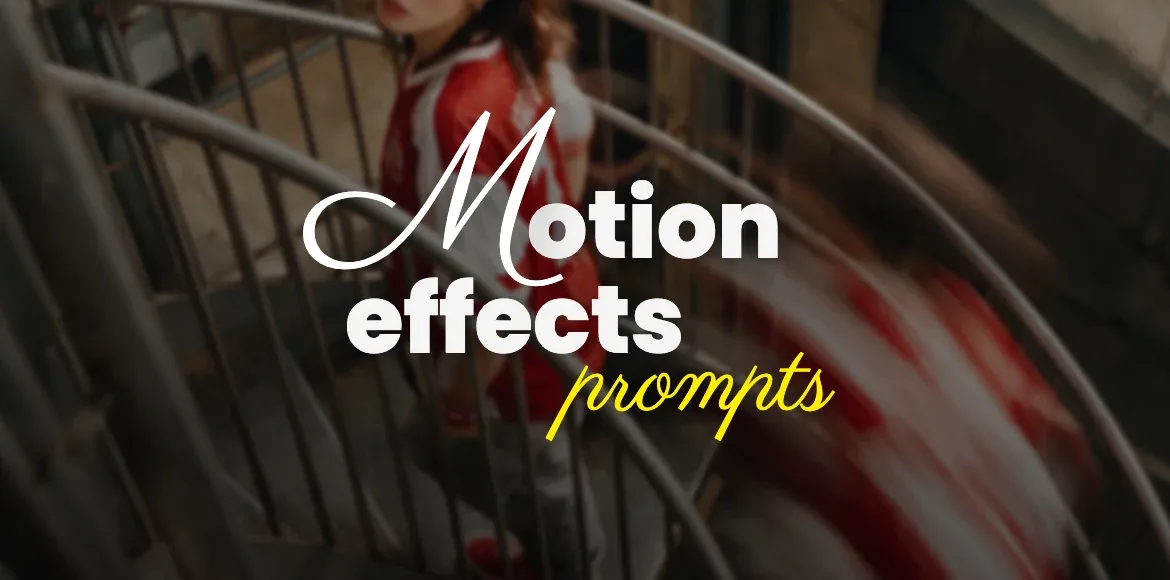
4. Motion Blur – “A dynamic, photorealistic scene of a young woman on a spiral metal staircase in an industrial setting. She wears a red and white sports jersey, gray pants, and red sneakers. The camera captures her from an elevated angle, looking down as she turns her head toward the lens. A second figure in matching clothing appears as a blurred motion trail descending the stairs, creating a ghost‑like streak of red and white fabric. Shot with a 35 mm lens at f/2.0 using a slow shutter speed to emphasize motion blur. The lighting is soft and diffused, highlighting the metallic textures of the staircase and the concrete walls. The composition contrasts stillness and movement — the stationary subject sharply focused against the fluid energy of the motion trail.”
Motion effects prompts can turn a simple portrait or scene into a visual experience that feels like it’s breathing, shifting, and moving right before your eyes. Make fabric spiral into hypnotic whirls, stretch urban lights into futuristic speed trails, or dissolve your subject into a cascade of glowing pixels. Head over to the Designs.AI Image Generator, choose the motion effect that matches your creative vision, and start creating visuals that move, even in a single frame.
What would you like to explore next?
- Generate an image of a portrait with a whirl effect. Try swirling hair, smoke, or fabric around a calm central subject.
- Create a cyberpunk scene using the pixel stretch effect. Stretch neon signs and reflections horizontally for a high-speed city vibe.
- Experiment with flowing pixels on a natural subject. Dissolve flower petals or water droplets into streams of digital particles.