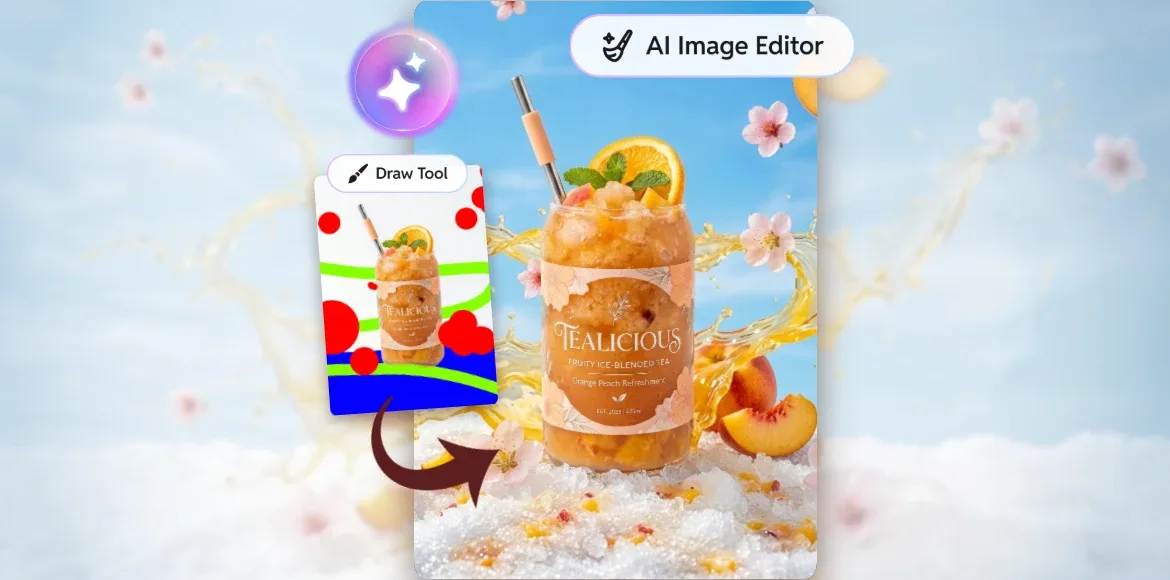

A good product photo can make your brand look more polished, professional, and ready to sell. It helps shoppers understand your product, trust your brand, and feel more confident before they click “add to cart”.
But creating strong product photos can take time. You may need props, lighting, backgrounds, editing skills, and a proper setup. For small business owners, e-commerce sellers, creators, and marketing teams, this can quickly become a lot to manage.
This is where AI product photography can help.
With Pixlr Nano Banana, you can take a simple product image and turn it into a styled product visual using AI. You can add props, textures, backgrounds, splashes, leaves, fabric, lighting effects, and more, without setting up a full studio shoot.
It gives you a faster and more flexible way to create product visuals for your online store, ads, social media posts, seasonal campaigns, and brand content.
What is AI product photography?
AI product photography uses artificial intelligence to improve, style, or transform product images. Instead of building every scene by hand, you can use AI to create the visual setting around your product.
For example, a plain skincare bottle can be placed on a clean marble surface with fresh leaves and soft natural light. A perfume bottle can be styled with flower petals, reflections, and a luxury background. A drink product can be surrounded by ice, fruit, water splashes, or a bright summer setting.
The goal is simple: make your product look more appealing while keeping the product itself clear and accurate.
Why AI product photography is useful for online sellers
Online shoppers rely heavily on images. They cannot hold the product, test it, or see it in person. Your product photo has to do a lot of the selling.
A strong product image should show the product clearly, match your brand style, and help customers imagine how the product fits into their lives. AI product photography helps you create more variations without starting from scratch each time. You can refresh one product photo for different campaigns, seasons, or platforms.
For example, you can create:
– Clean product photos for your website
– Lifestyle product images for social media
– Seasonal visuals for promotions
– Styled product shots for ads
– Fresh backgrounds for marketplace listings
– Creative visuals for product launches
This makes it easier to keep your content fresh without needing a new photoshoot for every idea.
How Pixlr Nano Banana helps with product photography
Pixlr Nano Banana helps you edit and style product images using simple instructions. You can guide the AI by describing what you want to add, adjust, or enhance.
This is useful for product photography because the product can remain the main focus while the surrounding scene becomes more polished.
You can use it to:
– Add props around your product
– Create clean or creative backgrounds
– Generate realistic textures and surfaces
– Add splashes, fruits, flowers, fabric, mist, or light effects
– Test different visual styles
– Create product visuals for social media and e-commerce
Instead of spending hours preparing a scene, you can explore different looks faster and choose the one that works best for your brand.
AI styling vs traditional product photography
Traditional product photography still has value, especially when you need exact lighting, physical setups, or highly detailed product documentation. However, AI product photography gives brands another practical option. For many everyday marketing needs, you may not need a full studio setup. You may simply need your product to look more polished, more campaign-ready, or more suitable for a specific platform.
With AI styling, you can test visual ideas before committing to a shoot. You can also create content for different themes without buying new props or rearranging your setup every time.
For small teams, this can make content creation feel lighter and more manageable.
How to create AI product photos with Pixlr Nano Banana
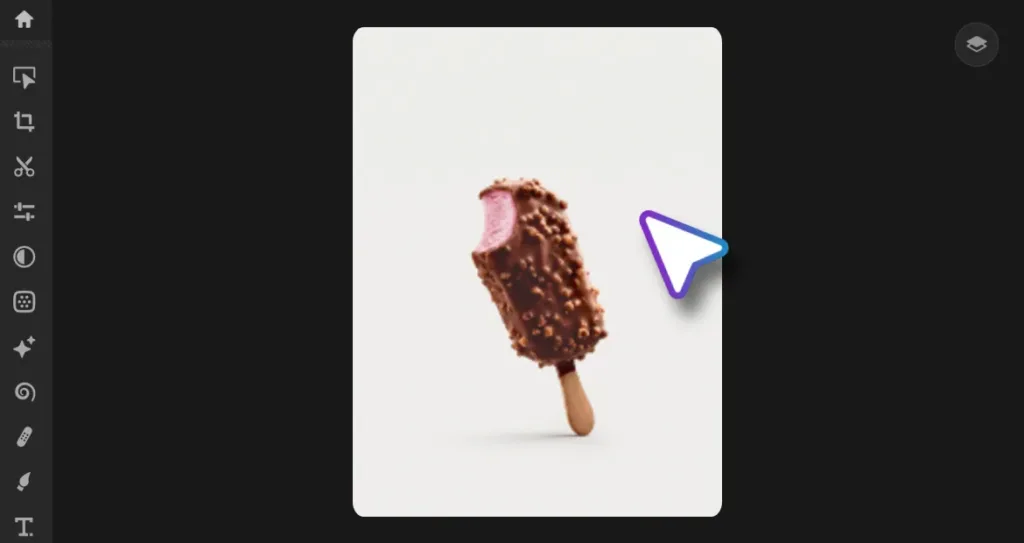
Step 1: Start with a clear product photo
Choose a product image where the item is sharp, well-lit, and easy to see. A clean product photo gives the AI a better starting point.
Try to use an image with enough space around the product. This gives Pixlr Nano Banana more room to add props, backgrounds, textures, and other visual details.
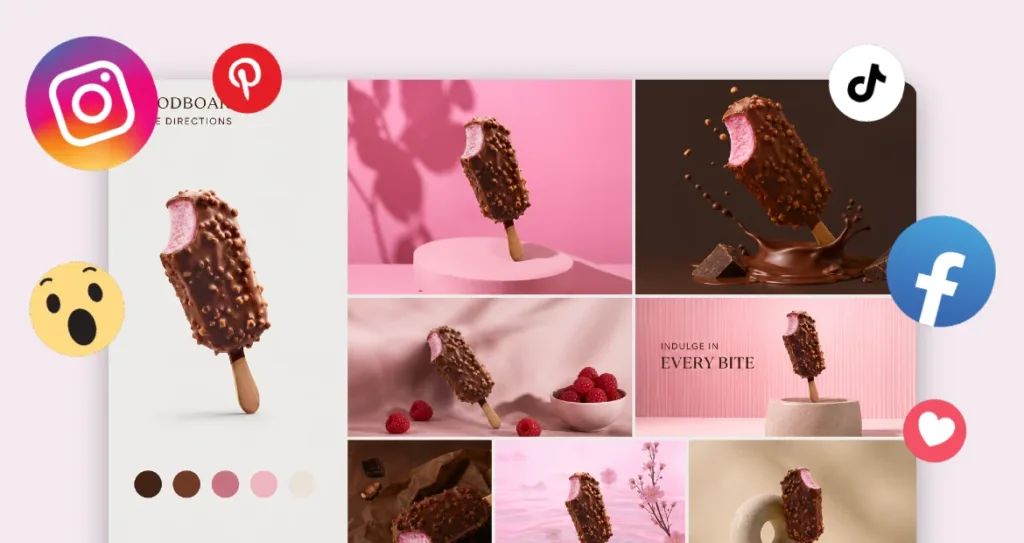
Step 2: Decide the style you want
Before editing, think about the final look you need.
Ask yourself:
– Is this image for a website, ad, social media post, or marketplace listing?
– Should the image feel clean, fun, premium, natural, festive, or bold?
– What props or background would support the product?
– What should stay unchanged?
For example, a skincare product may need a fresh and calming look. A snack brand may need something colourful and energetic. A tech product may look better with a clean, modern background.
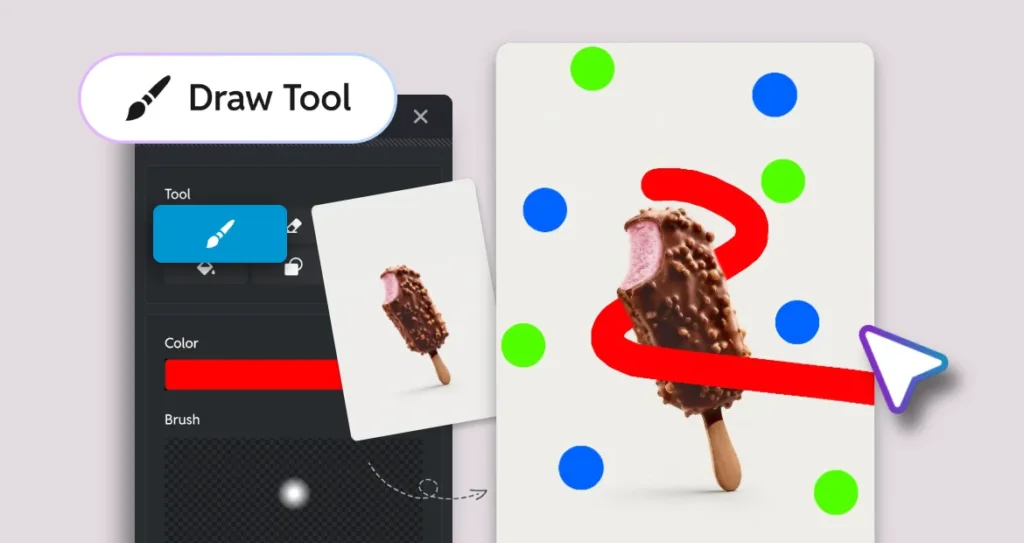
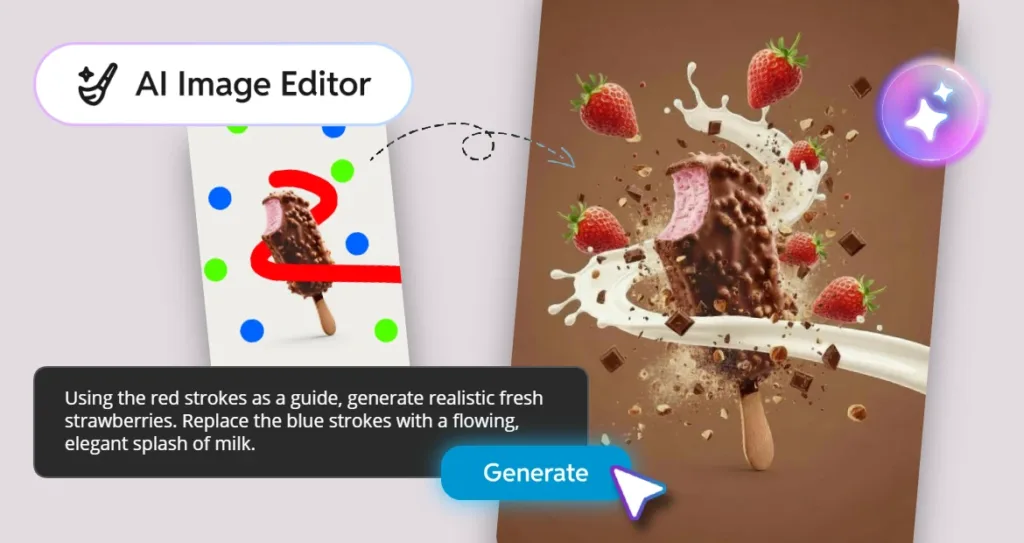
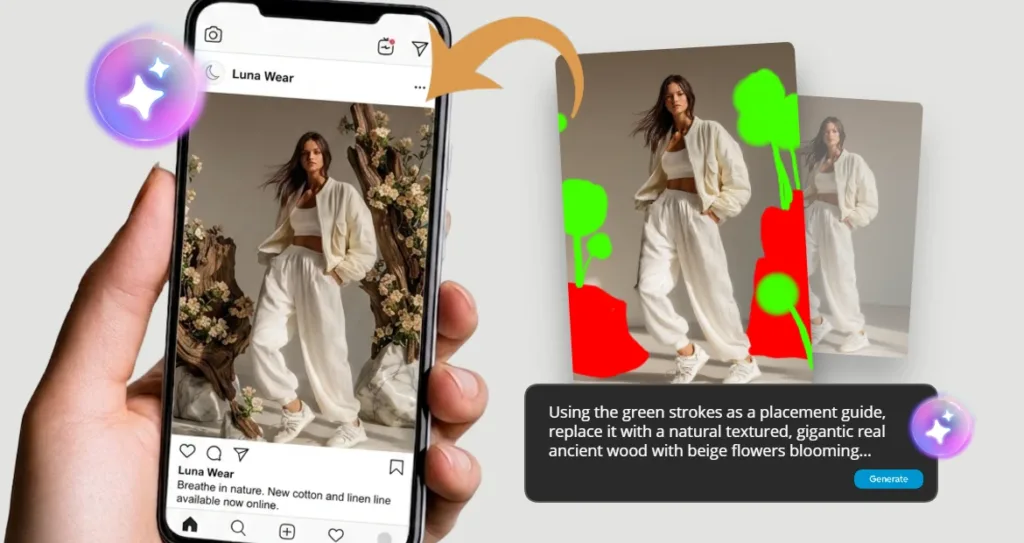
Step 3: Use colour strokes to guide the AI
In Pixlr Express, you can draw simple colour strokes on a new layer to show where you want certain elements to appear.
For example:
– Use red strokes to mark where you want strawberries, liquid, or fabric.
– Use green strokes to mark where you want leaves, herbs, or fruit.
– Use blue strokes to mark where you want stones, ice, or water elements.
These strokes act as a visual guide. They help the AI understand where each element should appear in the image.
Step 4: Write a clear prompt
Once your guide strokes are ready, describe what each colour should become.
Example prompt:
“Keep the product unchanged. Use the red strokes as a guide to create fresh strawberries. Use the green strokes to add soft leaves around the product. Place the product on a clean marble surface with soft natural lighting and gentle shadows.”
This prompt works because it explains what to keep, what to add, where to place the new elements, and what mood the final image should have.
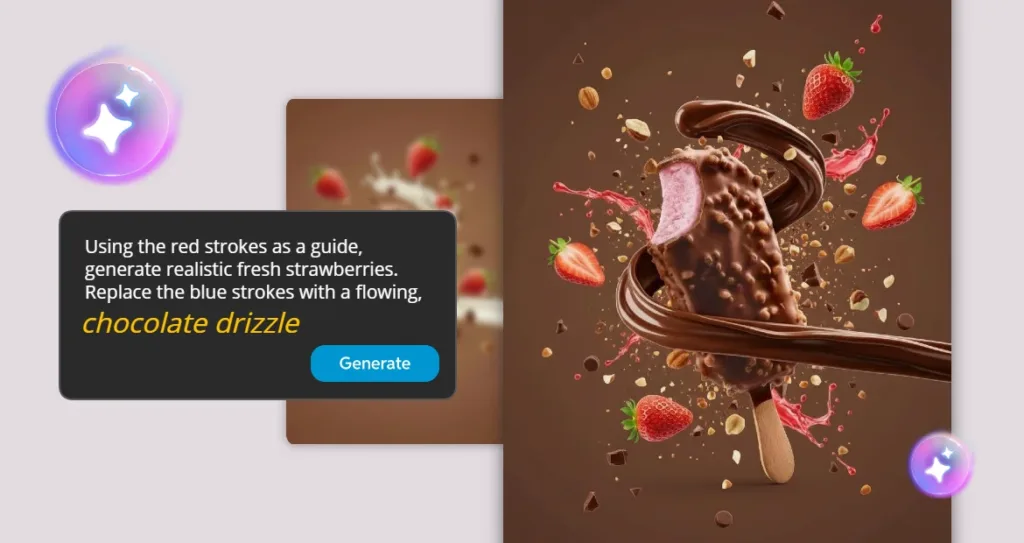
Step 5: Refine the result
AI product photography works best when you test and refine. Try a few versions before choosing your final image.
You can adjust the prompt to change the mood, background, props, or lighting.
For example:
– Change “fresh strawberries” to “soft pink flower petals”.
– Change “marble surface” to “warm wooden table”.
– Change “natural lighting” to “soft studio lighting”.
– Change “clean skincare style” to “premium beauty campaign style”.
Small changes in your prompt can create very different results.
Prompt examples for AI product photography
Skincare product
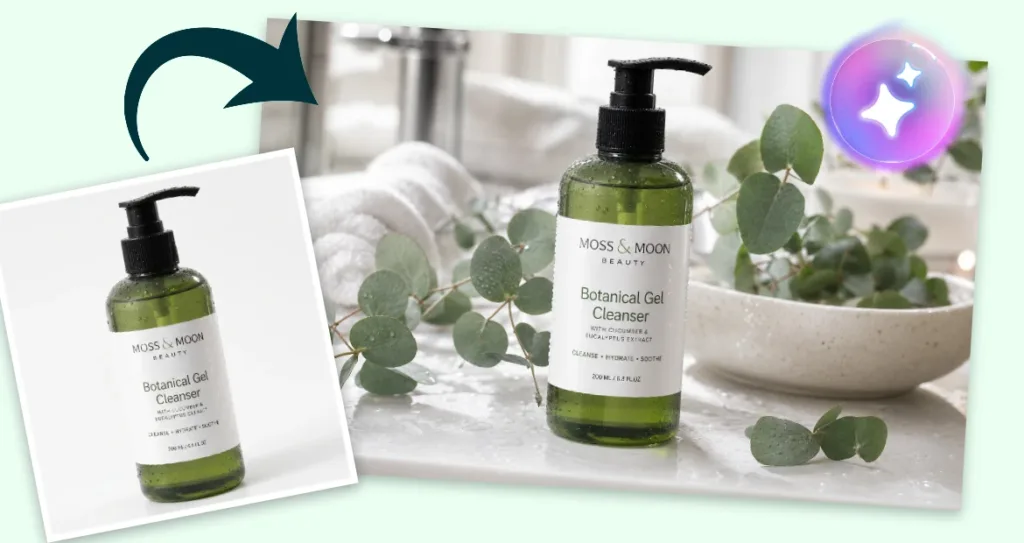
Example prompt:
“Create a clean AI product photography image for this skincare product. Keep the bottle and label unchanged. Add soft bathroom lighting, water droplets, fresh eucalyptus leaves, a white ceramic surface, and a calm spa-inspired mood.”
Perfume product
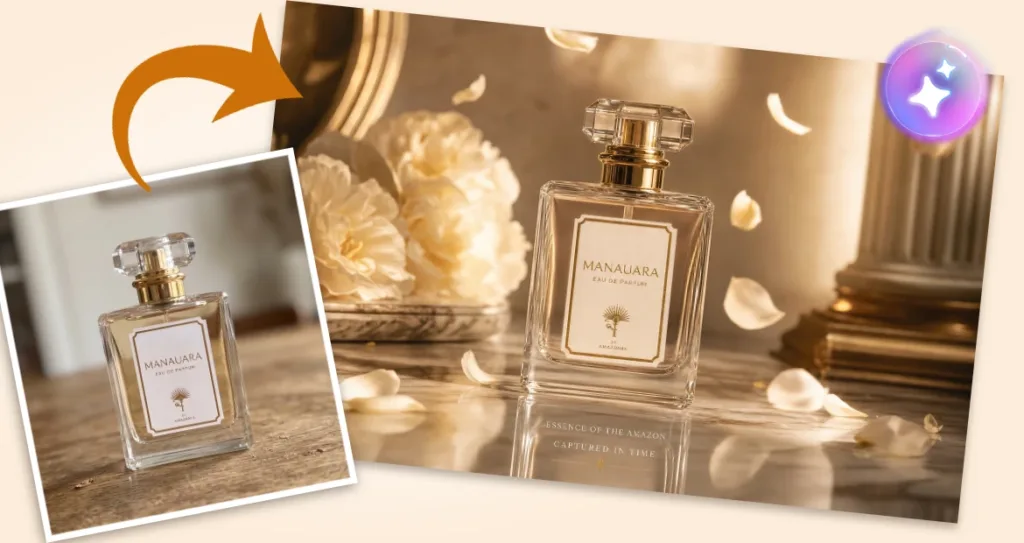
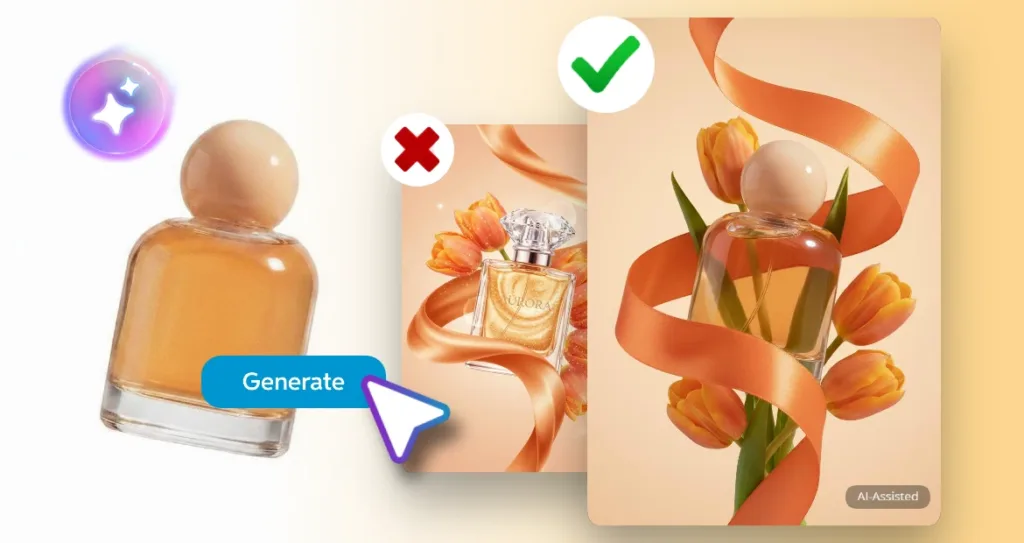
Example prompt:
“Turn this perfume bottle into a premium product photography image. Keep the bottle unchanged. Add a reflective marble surface, soft golden lighting, floating flower petals, and an elegant luxury campaign style.”
Food product
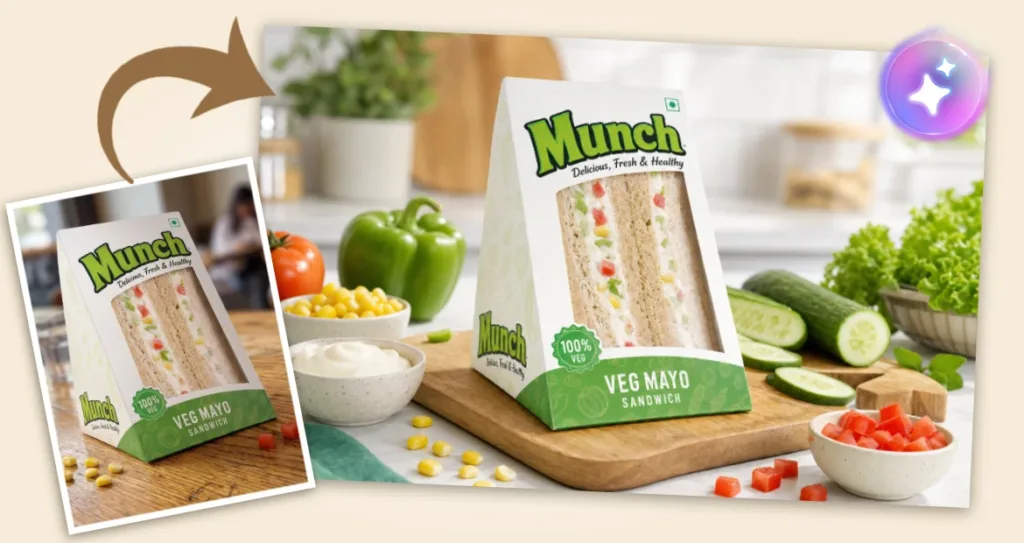
Example prompt:
“Create a bright e-commerce product photo for this food product. Keep the packaging unchanged. Add fresh ingredients around it, soft natural shadows, a clean kitchen background, and an appetising lifestyle look.”
Beverage product
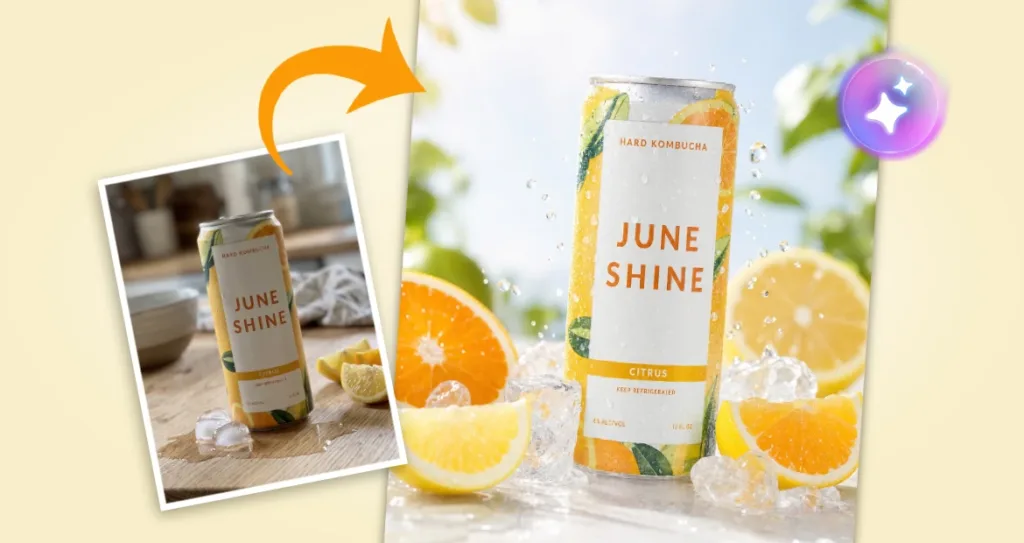
Example prompt:
“Enhance this beverage product photo with a refreshing summer style. Keep the can unchanged. Add ice cubes, water droplets, citrus slices, soft sunlight, and a clean bright background.”
Tech product
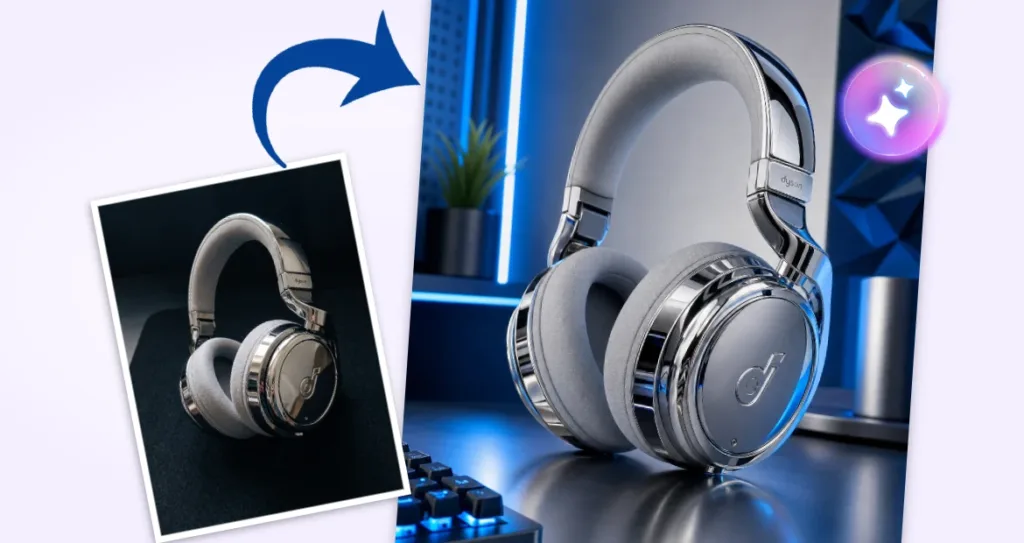
Example prompt:
“Create a sleek product photo for this tech item. Keep the product unchanged. Add a modern desk surface, soft reflections, subtle blue lighting, and a clean futuristic background.”
Tips for better AI product photography results
Keep the product accurate
The product should remain true to life, especially for e-commerce. Avoid changing the product shape, label, colour, size, or important details.
Use AI to improve the setting around the product, while keeping the actual item clear and honest.
Be specific in your prompt
A general prompt like “make this look better” may give you mixed results.
A stronger prompt would be:
“Keep the product unchanged. Add a clean white background, soft natural shadows, fresh green leaves around the product, and a premium skincare campaign look.”
The more clearly you describe the scene, the easier it is for the AI to understand your direction.
Match the image to the platform
A product image for your website should usually be clean and easy to understand. A social media image can be more expressive, colourful, or campaign-led.
For marketplace listings, keep the product clear and product-first. For ads and social content, you can explore more creative styling.
Use props with purpose
Props should support the product story. For example, citrus slices can suggest freshness, silk fabric can suggest luxury, and wood textures can suggest warmth or natural ingredients.
Avoid adding too many elements. A simple, well-styled product image often feels more professional.
Why AI product photography works well for small teams
Small businesses and marketing teams often need a lot of content, but they may not have the time or budget for repeated photoshoots.
Pixlr Nano Banana helps make product content creation faster and more flexible. You can start with one product photo and create several versions for different uses.
This is useful for:
– Online store owners
– Social media managers
– Small business owners
– Content creators
– Product photographers
– Marketing teams
– Marketplace sellers
It helps teams create product visuals that look polished, while still keeping the workflow simple.
Using AI product photography responsibly
AI can help make your product visuals more attractive, but the image should still represent the product fairly.
A good rule is to use AI as a digital set stylist. Let it improve the background, props, lighting, and mood. Keep the actual product as accurate as possible. This helps customers know what they are buying and helps your brand build trust.
For some campaigns, you may also choose to show behind-the-scenes content, such as the original product image and the final AI-enhanced version. This can make your creative process more interesting and transparent.
Make every product shot easier to style, refresh, and reuse
AI product photography gives brands a faster way to create polished product visuals without starting from zero each time. With Pixlr Nano Banana, you can style product images, explore different backgrounds, add props, and create campaign-ready visuals using simple prompts. It helps make product photography more flexible, especially for small businesses, e-commerce sellers, creators, and marketing teams.
Start with a clear product image. Decide on the style you want. Guide the AI with simple colour strokes and a clear prompt. Then refine the result until it fits your brand.
With the right approach, AI product photography can help your products look more professional, more versatile, and more ready for the platforms where your customers discover them.