
The 2026 football season has arrived, and if you’re not using AI to create stunning fan content, you’re missing out on an incredible opportunity to engage with the sport. Picture this: generating stadium-perfect images, dramatic celebration graphics, and vibrant social media posts all without needing to attend the match. No expensive cameras or professional editing skills are required.
With just your creativity and an AI tool, you can produce high-quality visuals. It might sound too good to be true, but it’s absolutely real. AI image generators, such as Pixlr, have made it possible for any football fan to create professional-level content in just minutes. Whether you’re looking to capture the excitement of a packed stadium, design a celebratory poster for the 2026 season, or add yourself to a thrilling football moment, AI can turn your ideas into reality.
What is AI Image Generation?
AI image generation is a technology that creates pictures from text descriptions. You type what you want to see like “a packed football stadium at night with cheering fans” and the AI generates a unique image matching your description.
How it works:
1. You write a text prompt
2. The AI processes your description
3. It generates an image in seconds
4. You can refine, regenerate, or edit
Football fans love it because it allows them to create content even when they’re not at matches, keeping them connected to their favorite sport. With AI tools, they can generate impossible scenes, like posing with the trophy, adding a layer of excitement and personalization. Fans can also make viral graphics without needing any design skills, enabling them to showcase their passion creatively. Additionally, using these tools saves money on expensive photo shoots, making it an affordable way to create high-quality, shareable content.
Popular tools for creating AI-generated content include Pixlr AI Generator, which is free and browser-based, along with other options like DALL-E, Midjourney, and Stable Diffusion. These tools offer a range of capabilities for football fans to explore their creativity. However, it’s important to note that while AI-generated images are generally acceptable for personal fan content, it’s best to avoid using trademarked logos (like FIFA or World Cup official marks) or player likenesses for commercial purposes. Sticking to generic football themes ensures safety and compliance with legal guidelines.
The 5 Golden Rules of AI Prompt Writing
Rule 1: Be Specific, Not Vague
Writing a clear, detailed prompt ensures the AI can better understand your vision. Instead of using vague descriptions like “Nice stadium,” provide specifics. For example, “Packed football stadium at night, golden floodlights illuminating the pitch, aerial view, 50,000 fans cheering” gives the AI much more to work with, bringing your idea closer to life.
Rule 2: Use Natural Language
Craft your prompts as if you’re telling a friend about the scene you want to create. Short, simple sentences are often more effective than stringing together random keywords. For example, rather than “Stadium night lights crowd excited fans celebration,” try saying, “A dramatic shot of excited fans celebrating in a football stadium at night, confetti falling, stadium lights creating a bokeh effect.” This approach makes it easier for the AI to understand and generate your idea.
Rule 3: Include the 3 Layers
Think of your prompt in terms of layers: foreground, middle ground, and background. This adds depth and context to your image. For example, “In the foreground, a fan holding a scarf high in the air. In the middle ground, a sea of cheering supporters with painted faces. In the background, a massive stadium illuminated by golden floodlights under a twilight sky helps create a more dynamic, well-rounded scene.
Rule 4: Set the Mood with Lighting
Lighting is crucial to setting the tone of your image. Specify the type of lighting to enhance the mood. Whether it’s “Golden hour sunlight,” “Dramatic stadium floodlights at night,” or “Warm sunset glow,” lighting can transform an ordinary image into something stunning. Keywords like these help the AI capture the right atmosphere.
Rule 5: Add Style Keywords
To guide the AI in how you want the image to look, include style keywords that define the artistic direction. You might opt for “ultra-realistic” for a photorealistic style, “cinematic poster” for a movie-like feel, or “digital art” for an illustrated effect. These style choices ensure the AI produces an image that aligns with your creative intent.
Pixlr AI Modes Explained
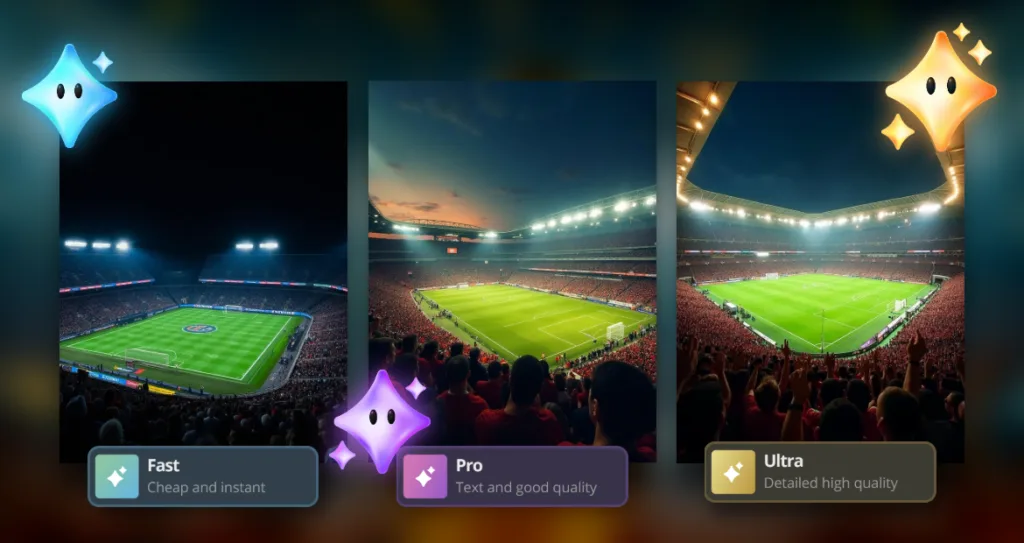
Pixlr offers three AI generation modes, each designed for different purposes:
Fast Mode — Quick & Easy
Best for: Brainstorming, social media posts, and quick drafts
Prompt length: 5-10 words
Generation time: 5-10 seconds
Use this mode when you need a fast result for initial ideas.
Example: “Packed football stadium night lights”
Pro Mode — Balanced Quality
Best for: Instagram posts, stories, and detailed social graphics
Prompt length: 15-20 words
Generation time: 15-20 seconds
Choose this mode when you want a balance between quality and speed.
Example: “Packed football stadium at night with golden floodlights, cheering fans wearing team colors, dramatic lighting, cinematic atmosphere, vibrant colors”
Ultra Mode — Maximum Detail
Best for: Print-quality graphics, detailed posters, and professional content
Prompt length: 25-50 words
Generation time: 30-60 seconds
Opt for this mode when you need highly detailed, realistic images.
Example: “Ultra-realistic photograph of a packed football stadium at night, 50,000 fans cheering with raised arms, golden floodlights illuminating the green pitch, aerial drone perspective, 35mm lens with beautiful bokeh, cinematic color grading, 8K resolution, sharp focus throughout”
Pro Tip: Start with Fast Mode to test your idea. If you’re happy with the result, regenerate it in Pro or Ultra for higher quality.
15+ Ready-to-Copy AI Prompts
Here are some proven prompts you can copy and paste directly into Pixlr, organized by category for easy use.
Stadium Scenes
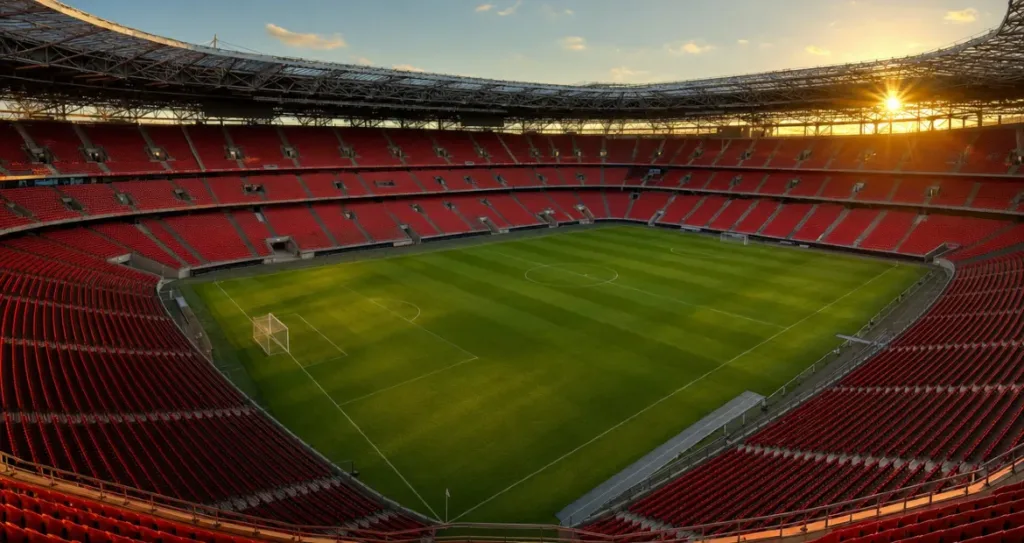
Prompt 1: Empty Stadium
A massive empty football stadium bathed in golden hour sunlight, with a perfectly mowed green pitch and empty red seats creating a beautiful pattern. The scene is captured in a wide-angle shot, photorealistic, with a cinematic atmosphere.
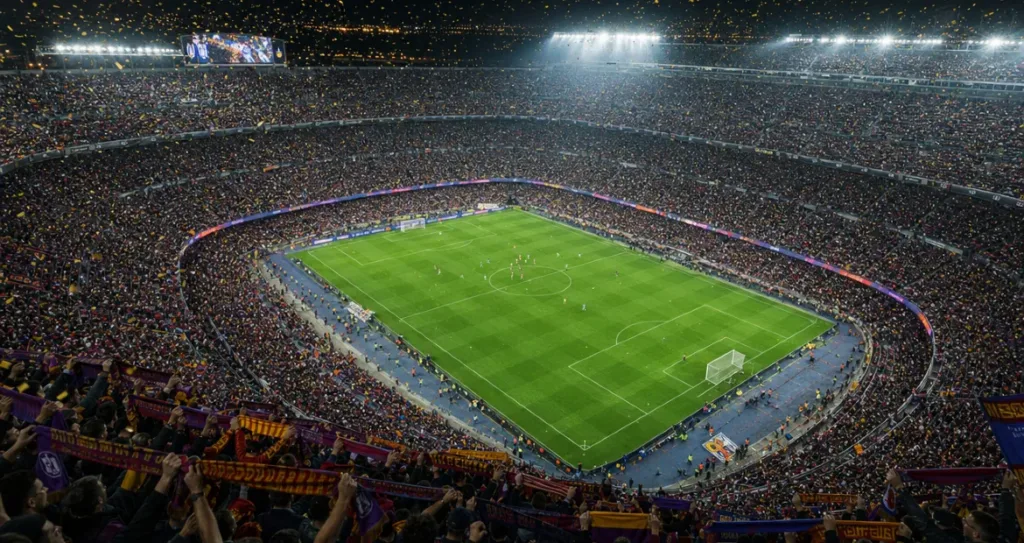
Prompt 2: Packed Stadium
Ultra-realistic aerial drone photograph of a packed football stadium filled with 80,000 cheering fans waving national flags and scarves. The dramatic stadium floodlights illuminate the night, confetti fills the air, and vibrant colors create a cinematic effect. Shot in 8K resolution.
Prompt 3: Stadium at Sunset
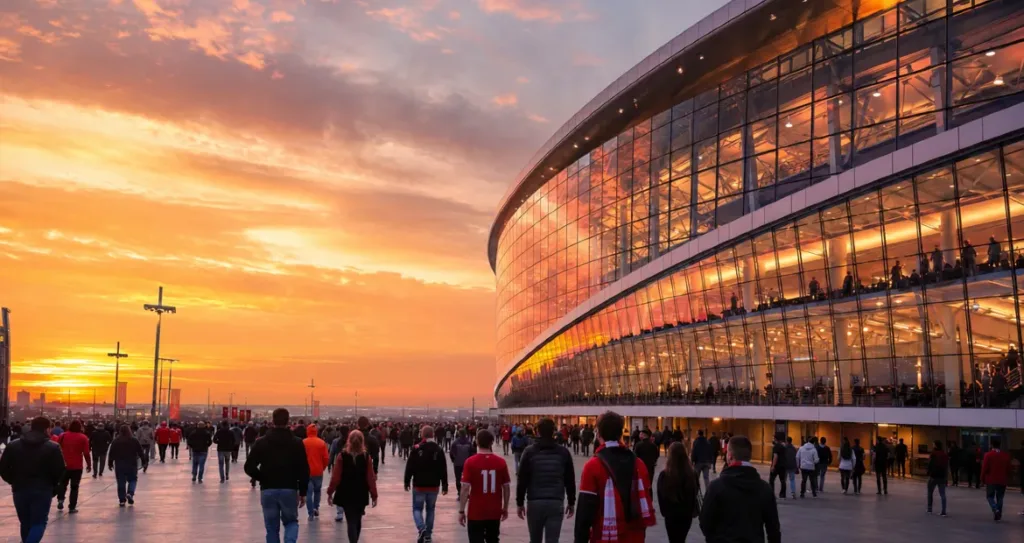
A stunning view of a modern exterior of a football stadium at sunset, with an orange and pink sky reflecting off the glass façade. Fans walk in excited anticipation under warm golden hour lighting, captured in an editorial photography style with vibrant colors.
Fan Selfies & “You in the Stadium”
These prompts place YOU in incredible football moments:
Prompt 4: Fan Portrait
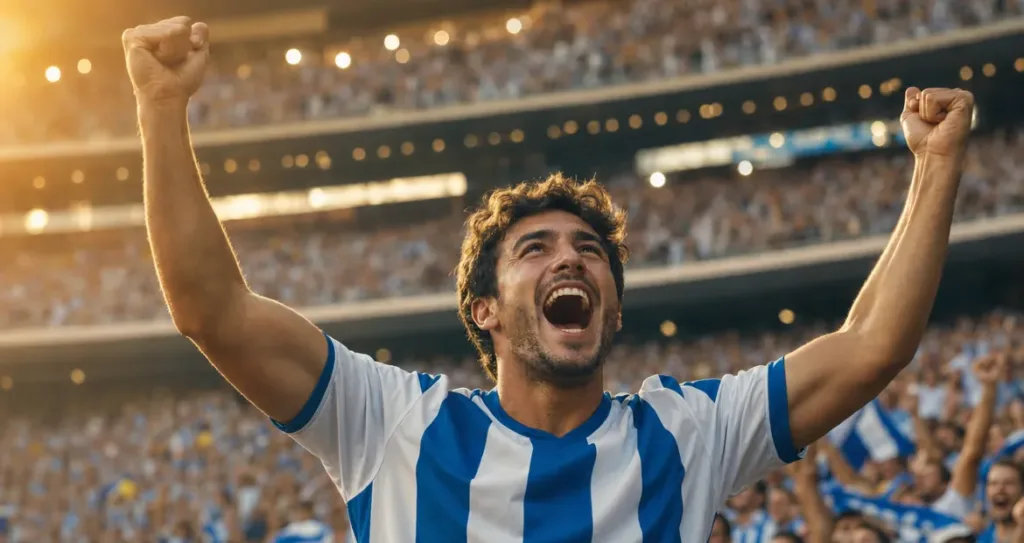
A cinematic portrait of an excited football fan standing in a packed stadium, wearing a national team jersey and raising their arms in celebration. Dramatic stadium lights create bokeh in the background, and the image is shot with golden hour lighting in a photorealistic sports photography style.
Prompt 5: Dream Celebration
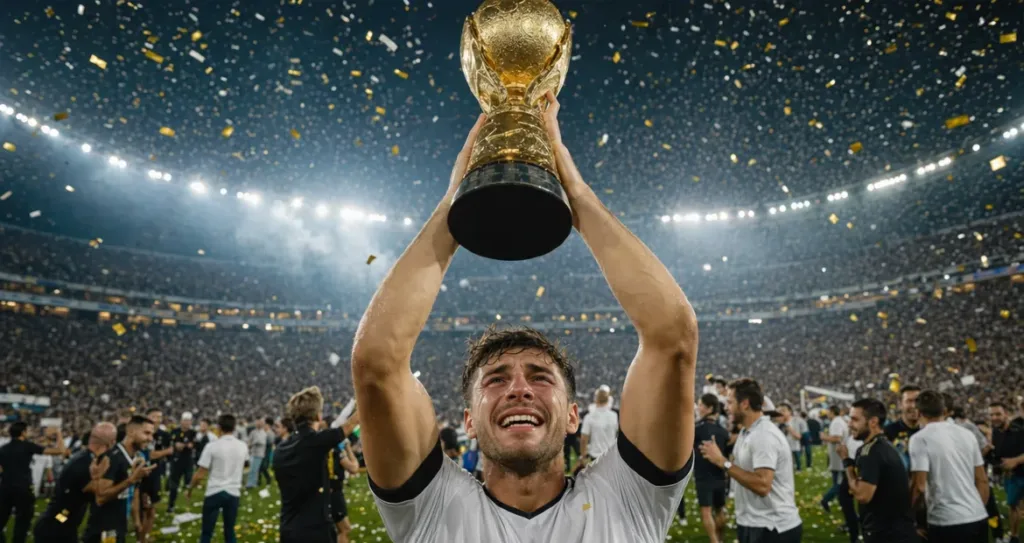
An ecstatic fan holds a golden trophy high above their head, standing on the football pitch with confetti raining down from excited crowds. Stadium lights illuminate the celebration, and the image captures tears of joy, shot in photorealistic 8K quality with dramatic lighting.
Prompt 6: Match Day Excitement
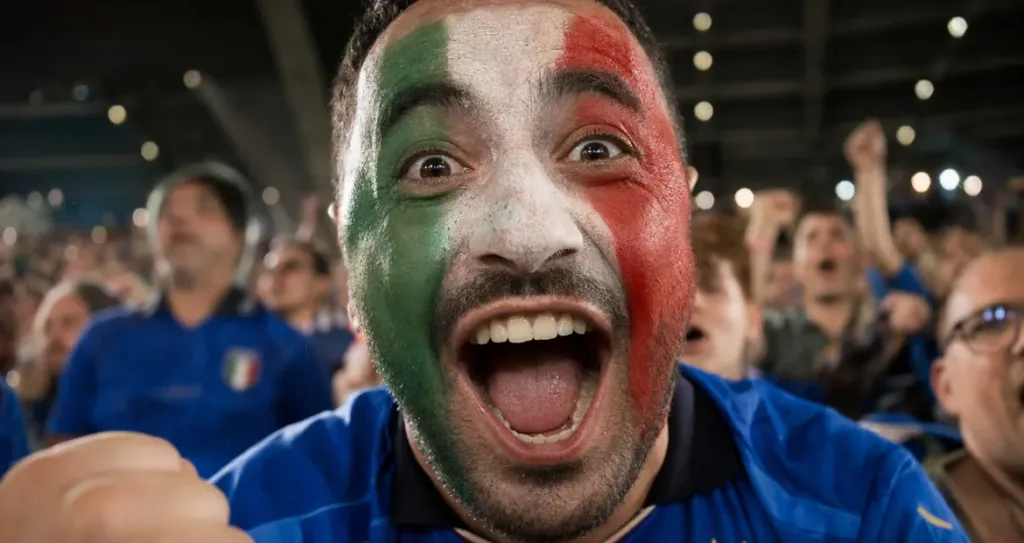
A close-up shot of a football fan’s face, illuminated by stadium lights. The fans’ faces are painted with national colors, their eyes wide with excitement, and their mouth open in cheer. The scene is captured with a documentary-style, handheld camera feel.
2026 Host Country Vibes
Create content inspired by the three host countries while avoiding trademark issues:
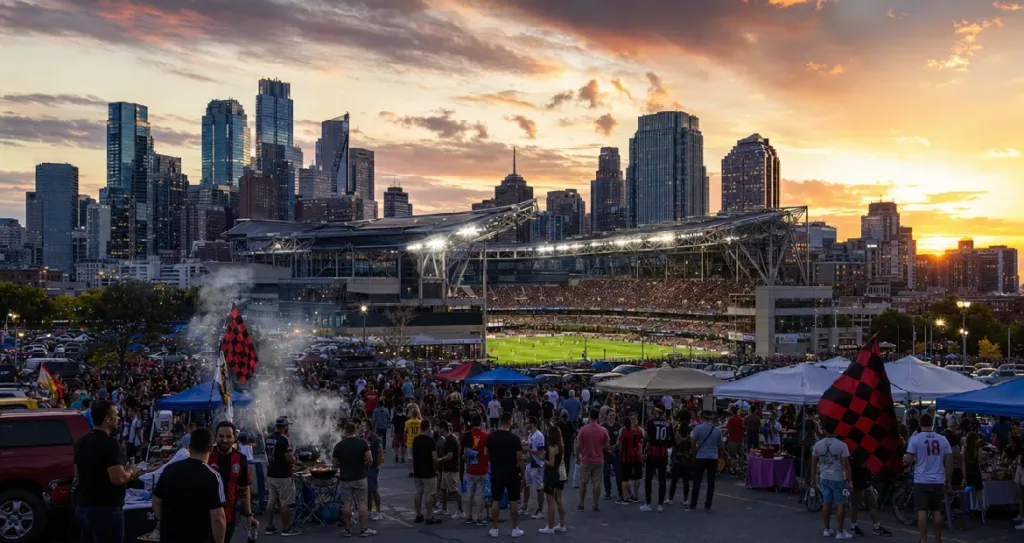
Prompt 7: USA Football Atmosphere
A modern soccer stadium at sunset in a major American city, with the impressive downtown skyline in the background. Fans tailgate outside with grills and flags, and bright stadium lights turn on, creating a festive atmosphere in an editorial photography style.
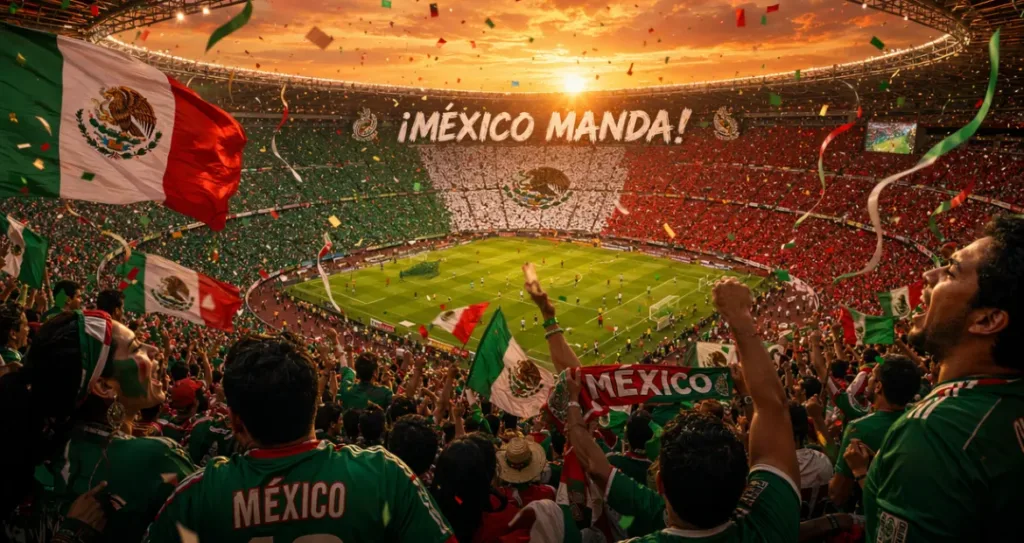
Prompt 8: Mexico Football Energy
A vibrant scene in a packed Mexican football stadium with colorful fan sections waving flags. The sunset sky shines through the open roof, and streamers and confetti fill the air. Passionate celebrations are captured with warm lighting in a cinematic poster style.
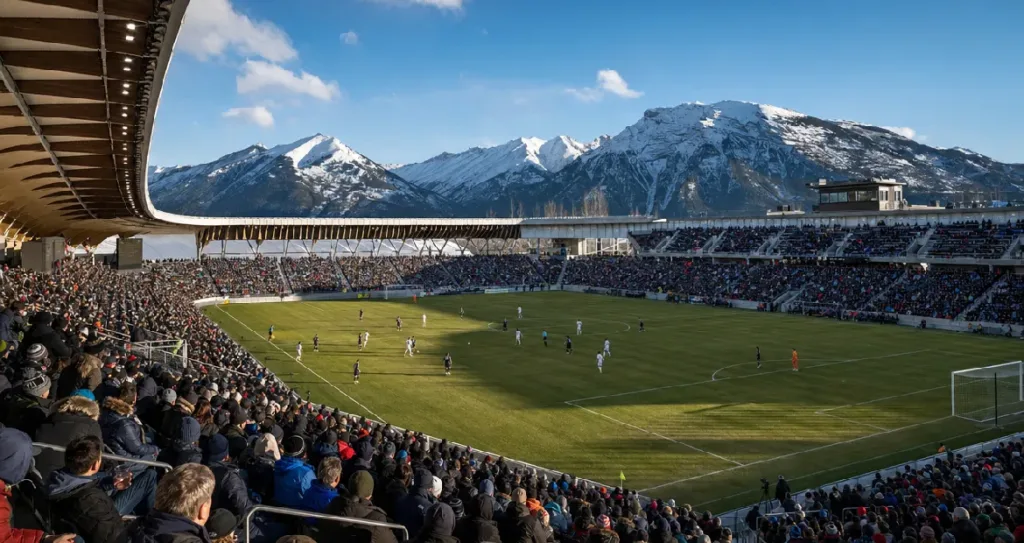
Prompt 9: Canada Stadium View
A modern Canadian soccer stadium with snow-capped mountains in the background. The crisp blue winter sky and enthusiastic crowd in colorful jackets create a fresh winter atmosphere. This scene is shot in editorial travel photography style, with photorealistic details.
Celebration & Emotions
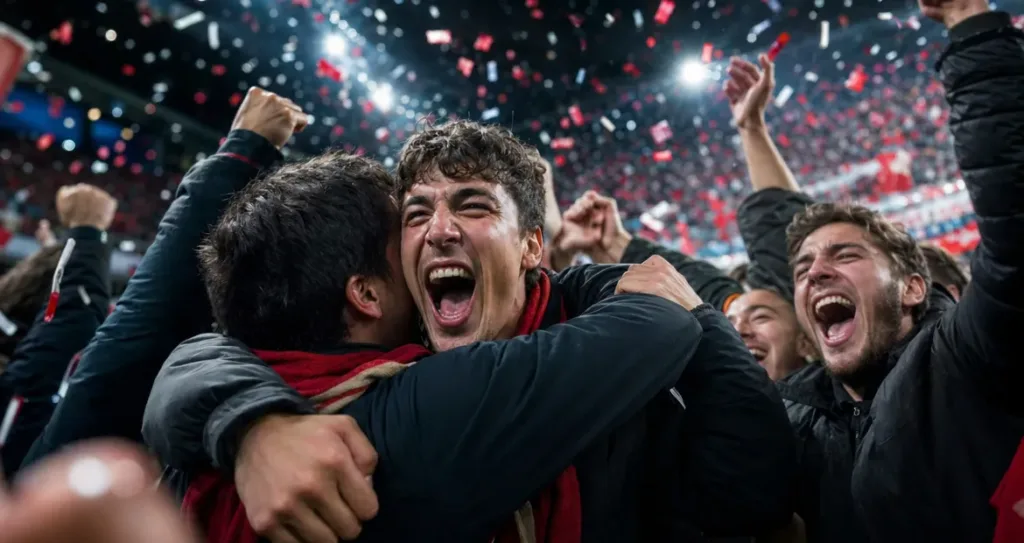
Prompt 10: Goal Celebration
A close-up of football fans celebrating a goal with confetti raining down, arms raised in joy, and faces filled with excitement and disbelief. The dramatic stadium lights create beautiful bokeh, and fans hug each other in vibrant, hyper-realistic sports photography.
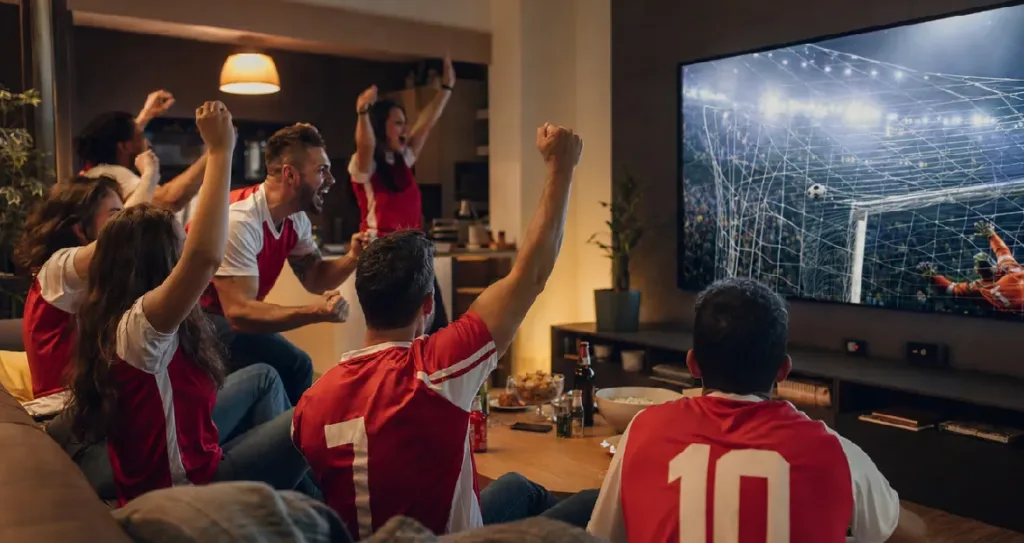
Prompt 11: Epic Watch Party
A living room scene filled with excited friends watching football on a massive screen. Snacks and drinks are scattered around, and fans wearing matching jerseys celebrate as a goal is scored. The warm indoor lighting is captured in a documentary photography style.
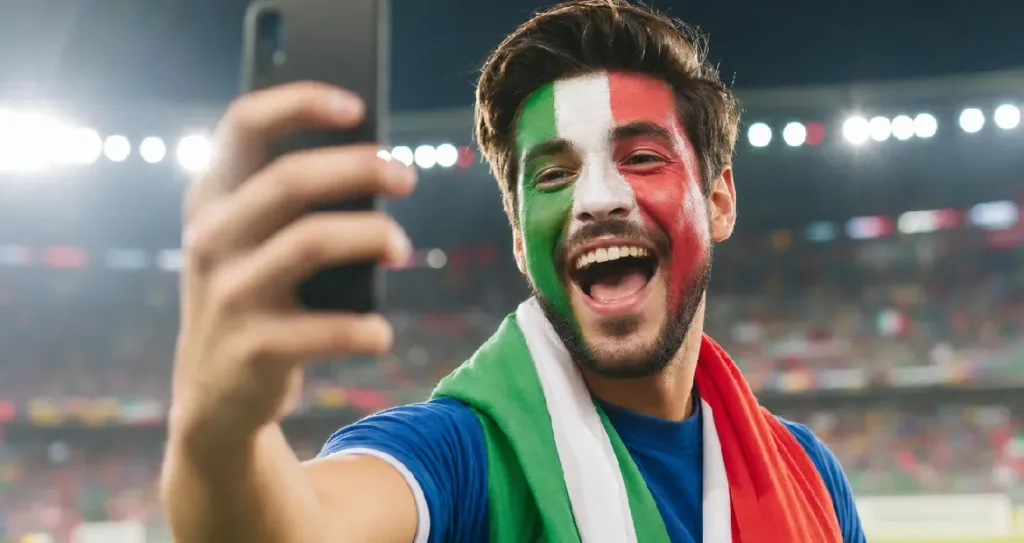
Prompt 12: National Pride
A portrait of a passionate fan wearing national team colors, with their face painted in flag designs. They hold a smartphone, taking a selfie with the stadium lights in the background. The proud expression and vibrant national colors are captured in portrait photography style.
Artistic & Poster Styles
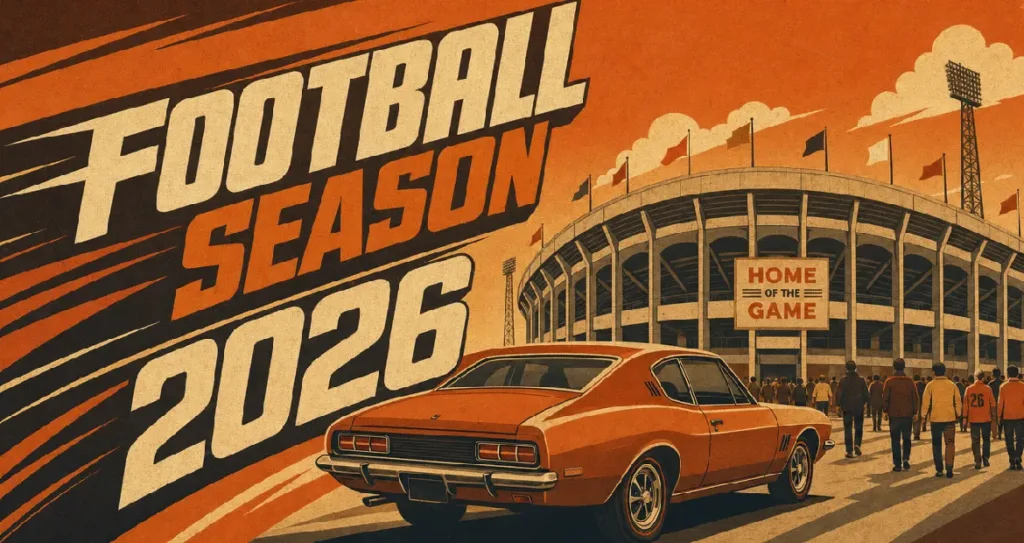
Prompt 13: Retro 2026 Poster
A football poster design inspired by 2026, featuring bold, dynamic, angled typography that reads “FOOTBALL SEASON 2026.” A vintage car is parked outside a classic stadium, with retro vintage color grading in warm orange and brown tones. The design captures a 1970s sports aesthetic in a matte finish, flat vector illustration style.
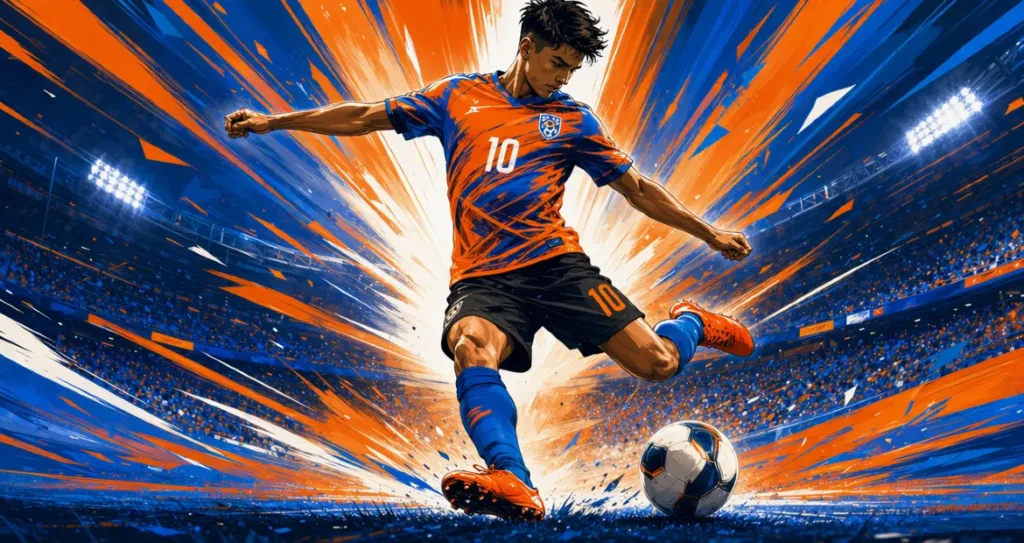
Prompt 14: Stylized Poster
Stylized, digital flat illustration of a soccer player mid‑motion, captured in the instant before kicking a ball. The athlete wears a vivid orange and blue uniform with black shorts and bright orange cleats. Dynamic sweeping lines emphasize speed and energy, while a bold palette of electric blue, fiery orange, and crisp white conveys intensity. Behind the player, radiant beams of light burst outward, creating a dramatic backdrop that highlights the action. The composition focuses on movement and impact, with exaggerated motion lines and glowing accents that give the artwork a sense of power and excitement.
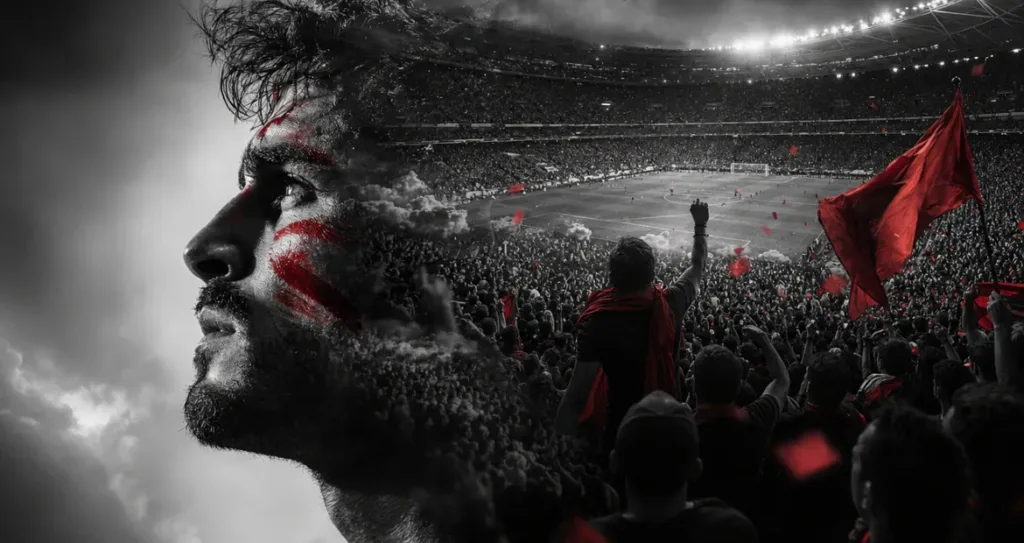
Prompt 15: Double Exposure Edit
A creative double exposure portrait, splitting the composition between a football fan’s face and a packed stadium scene. Dramatic lighting is used on both sides, and the image is presented in high contrast black and white with selective color, capturing a magazine editorial style.
How to Use Pixlr AI Generator (Step-by-Step)
Now that you have your prompts, here’s how to use them in Pixlr:
Step 1: Open Pixlr AI Generator
To begin, go to pixlr.com. Once you’re there, click on the “AI Image Generator” option in the top menu. Alternatively, you can click on “AI Image Generator” in Pixlr Editor or Pixlr Express. This will open the AI generator interface, ready for you to start creating.
Step 2: Choose Your Mode
At the top of the generator, you’ll need to choose the mode that best suits your needs. If you’re looking for quick drafts, select Fast mode, which generates images in 5-10 seconds. For social media graphics that strike a balance between speed and quality, choose Pro mode. If you need highly detailed and realistic images, Ultra mode is the best option, although it takes a bit longer (up to 60 seconds) to generate the result.
Step 3: Enter Your Prompt
Once you’ve chosen your mode, click on the text input field where you can type or paste your prompt. You can either copy and paste any of the prompts from this article or create your own. If you have a reference image that aligns with the style you’re aiming for, you can upload it as well to guide the AI’s creative process.
Step 4: Generate Your Image
Click the “Generate” button, and the AI will start processing your prompt. Depending on the mode you’ve chosen, the generation time will range from 5 to 60 seconds. Once the AI finishes, it will present you with 1-8 variations of the image, allowing you to see different interpretations of your prompt.
Step 5: Refine or Edit
If the generated image isn’t quite what you had in mind, there are a few ways to refine it. You can click on “Remix” to see alternative versions of the image. Alternatively, click “Edit Image” to open the image in Pixlr Express, where you can make adjustments or enhancements. If you feel the prompt needs tweaking, copy it and modify it with more specific details to get closer to your desired outcome.
Step 6: Export for Social Media
Once you’re happy with the image, click “Download” or “Export” to save it. Choose the format that suits your needs, PNG for the best quality or JPG for a smaller file size. Set the quality to 80-100%, and then download the image. You can now share it on your social media platforms!
Pro Tip: If you’re creating content for Instagram, export the image in a square format (1080 x 1080 px) for your feed or a vertical format (1080 x 1920 px) for stories or reels.
Prompt Tweaking Tips
If your AI-generated image isn’t quite hitting the mark, here’s how to address common issues and improve your results:
| Problem | Solution | Add these keywords |
| Image too blurry | Request a sharper focus | “sharp focus,” “4K,” “ultra-detailed,” “high resolution” |
| Wrong color palette | Specify the desired colors | “vibrant colors,” “warm tones,” “cool blue palette,” “saturated” |
| Too busy or distracting | Request a minimalist style | “minimalist,” “clean background,” “simplified,” “isolated subject” |
| Not realistic enough | Request a photorealistic style | “photorealistic,” “DSLR quality,” “RAW photo,” “85mm lens” |
| Wrong artistic style | Specify the style you want | “digital art,” “oil painting,” “vector illustration,” “watercolor” |
| Wrong lighting | Describe the lighting | “golden hour,” “dramatic shadows,” “soft diffused light,” “neon glow” |
| Wrong perspective | Specify the camera angle | “aerial view,” “ground level,” “bird’s eye,” “close-up portrait” |
| Text looks wrong | Be specific about text style | “bold sans-serif font,” “vintage typography,” “handwritten style” |
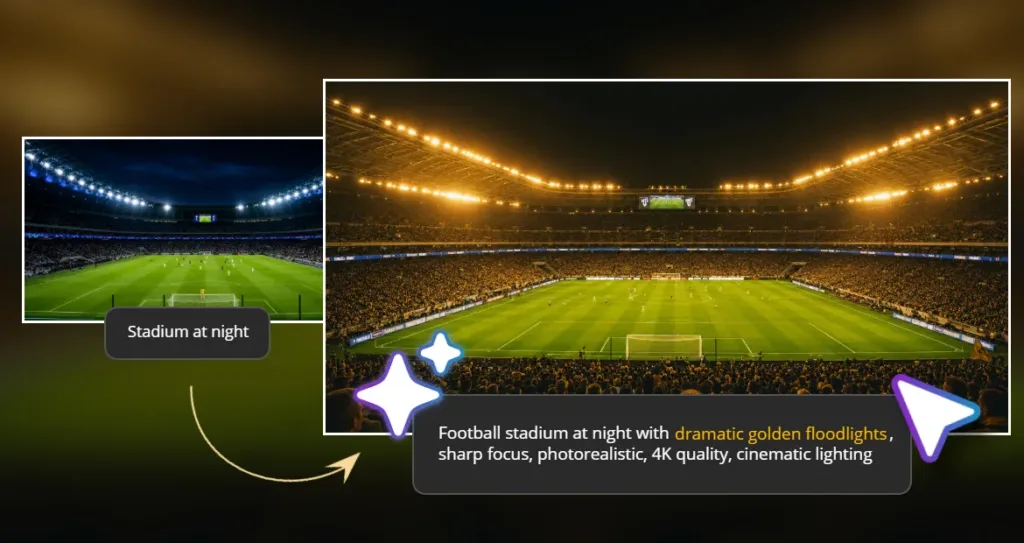
Example Tweak:
Original: “football stadium at night”
Better: “Football stadium at night with dramatic golden floodlights, sharp focus, photorealistic, 4K quality, cinematic lighting”
By adding more precise keywords, you can guide the AI to create more refined and accurate results.
Legal Tips for Football Fans
Creating AI content is a fun way to show your love for football, but it’s important to stay aware of copyright and trademark laws. You can create personal fan content for your social media, use generic terms like “football” or “soccer” instead of specific terms like “World Cup” or “FIFA,” and replace team logos with colors or patterns. When referring to stadiums, it’s safer to use the word “stadium” rather than specific venue names like “Wembley” or “MetLife.” Additionally, you can create original compositions inspired by football culture and credit the AI tool you used, such as Pixlr, if you wish. However, avoid reproducing official World Cup or FIFA logos, using official match footage or copyrighted images, impersonating football organizations, or selling AI-generated content commercially that uses trademarked terms. Don’t use real players’ likenesses without permission or claim AI-generated content as real photography from events. The safest approach is to focus on generic football themes, fan culture, stadium aesthetics, and celebration moments, allowing you to be creative while avoiding official branding.
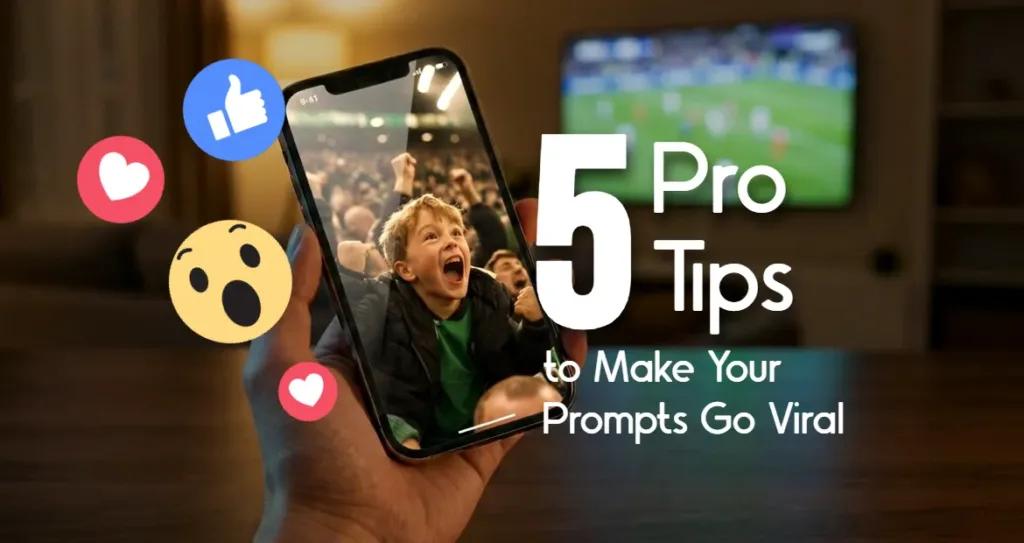
5 Pro Tips to Make Your Prompts Go Viral
Want your AI-generated football content to get more likes, shares, and comments? Here’s how to make it stand out:
Tip 1: Add Emotional Details
Generic scenes often lead to generic engagement. Instead of just saying “fans cheering,” add emotional depth like: “Ecstatic fans with tears of joy streaming down their faces,” “Grandfather and grandson hugging in disbelief,” or “Fans so excited they knocked over their drinks.”
Tip 2: Include Sensory Details
Make your audience feel the moment by using sensory language: “Scarves raised so high they create a red wall,” “Jerseys soaked with sweat and rain,” or “Flares creating orange smoke filling the air.” These details immerse your viewers in the scene.
Tip 3: Create Contrast
Dramatic contrast captures attention. For example: “One fan celebrating alone in an empty bar,” “The last fan left in the stadium after everyone else has gone,” or “A child’s face in a sea of adults.” These moments of contrast stand out and spark curiosity.
Tip 4: Set the Time & Weather
Context adds depth to your scene. Think about time of day and weather: “Midnight kickoff under stadium floodlights,” “Sunrise training session in the snow,” or “Emergency goal at the final whistle in the rain.” These elements give your images a richer narrative.
Tip 5: Add Scale & Numbers
Specific numbers make scenes more impressive: “100,000 fans creating a human wave,” “Stadium so packed it shook,” or “A million confetti pieces falling.” Large numbers add impact and scale to your visuals.
The rise of AI has transformed content creation, making it more accessible than ever for football fans to produce high-quality visuals. What once required expensive equipment and advanced editing skills can now be done quickly and easily with AI tools. No matter what kind of football content you want to create, be it dynamic fan portraits, action-packed match-day moments, or a creative poster for the 2026 season, the possibilities are endless. With just a few clicks, you can bring your vision to life. Now is the perfect time to start experimenting with Pixlr’s AI Image Generator. Head to the site, choose a prompt that speaks to you, and create your first football image in less than two minutes. When you’re done, share your masterpiece with the world by tagging #madewithPixlr. We’d love to see your creations. Which prompt are you going to try first? Leave a comment below and let us help you perfect your ideas so you can take your football fan content to the next level.