Iconic Horror Scene Prompts

You’ve watched them through your fingers. You’ve quoted them at parties. You’ve seen how iconic they are. But have you ever imagined being in them?
With AI image generation, you can now prompt yourself into the most recognizable horror characters and scenes ever put on film — button eyes and all. It’s not about generating “a scary hallway.” It’s about generating you as the twins in the hallway.
Here’s how to do it.
What are Horror Scene prompts?
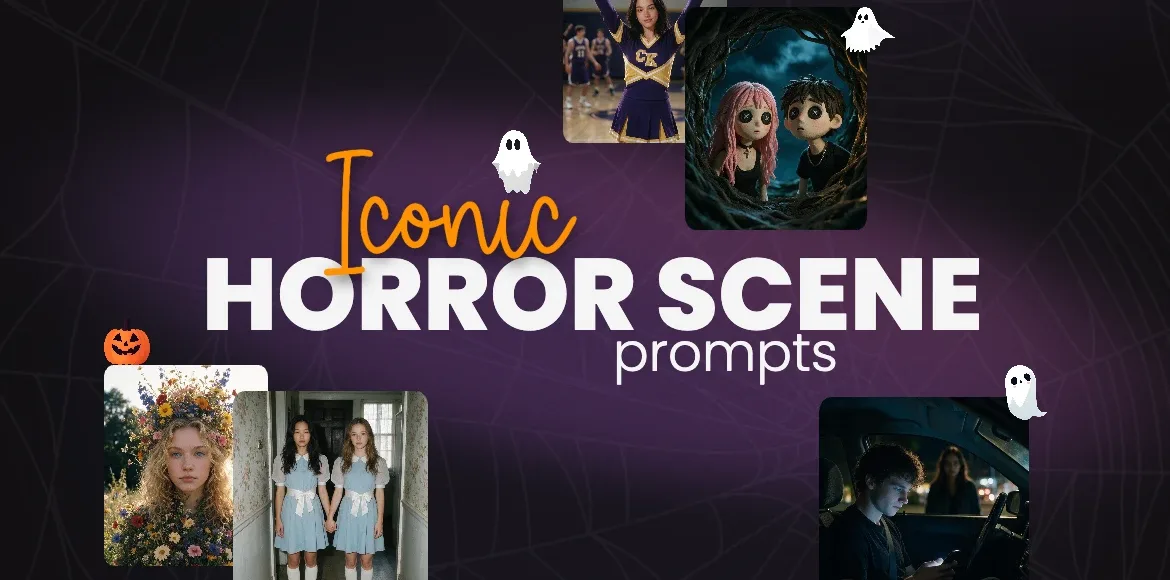
The Horror Scene Prompts are AI prompts where users recreate iconic horror characters and moments — but with themselves as the subject.
Instead of generating a generic creepy image, you’re generating something instantly recognizable. The second someone scrolls past it, they know exactly what the images are inspired by:
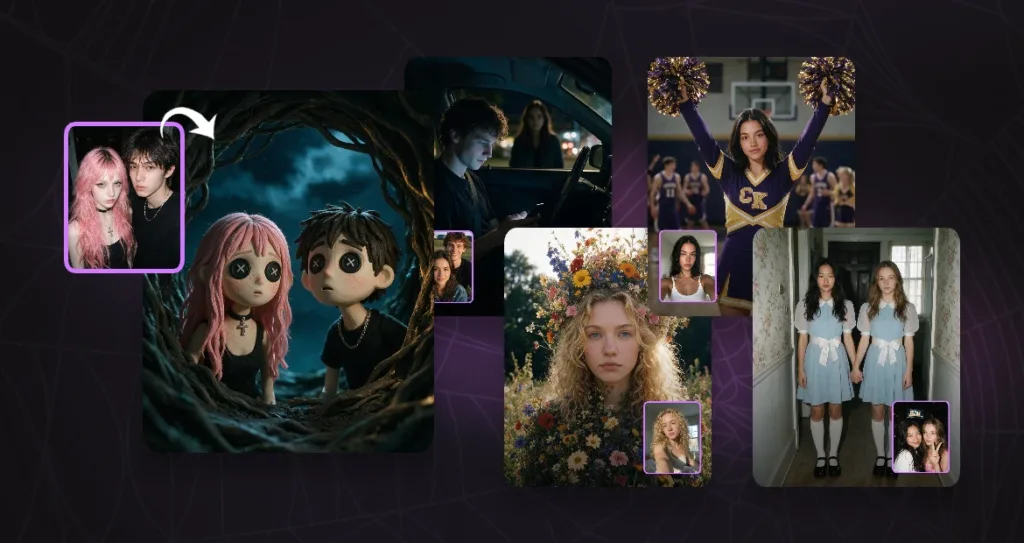
- Coraline’s button eyes
- The twins from The Shining
- The cheerleader scene from Jennifer’s Body
- The flower close-up from Midsommar
- The girl’s silhouette in the car window and man in the driver seat from Obsession
The result looks like a still frame from a horror film that never existed — but with you in the lead role.
It’s part nostalgia, part horror fandom, and part “Wait, is that you?”
Why it works
- Instant recognition.
Horror fans know these images. Button eyes. Matching blue dresses. A face made of flowers. The moment someone recognizes the reference, they’re already hooked — and recognition is what stops the scroll. - Personal stakes.
It’s one thing to see a scary scene. It’s another to see yourself in it. Inserting a real face into a fictional nightmare makes the image hit harder, feel more real, and land ten times better in the comments. - Endless replay value.
There are decades of iconic horror characters to pull from. That means a fresh post for every franchise, every era, every “do that one next!” request in your DMs. - It’s shareable by design.
People tag friends. People argue about which one is creepiest. People ask “how did you make this?” That’s the algorithm’s favorite trifecta.
How to prompt yourself into the scene with Pixlr AI Image Generator
The magic isn’t in the tool — it’s in the prompt. Here’s the exact workflow.
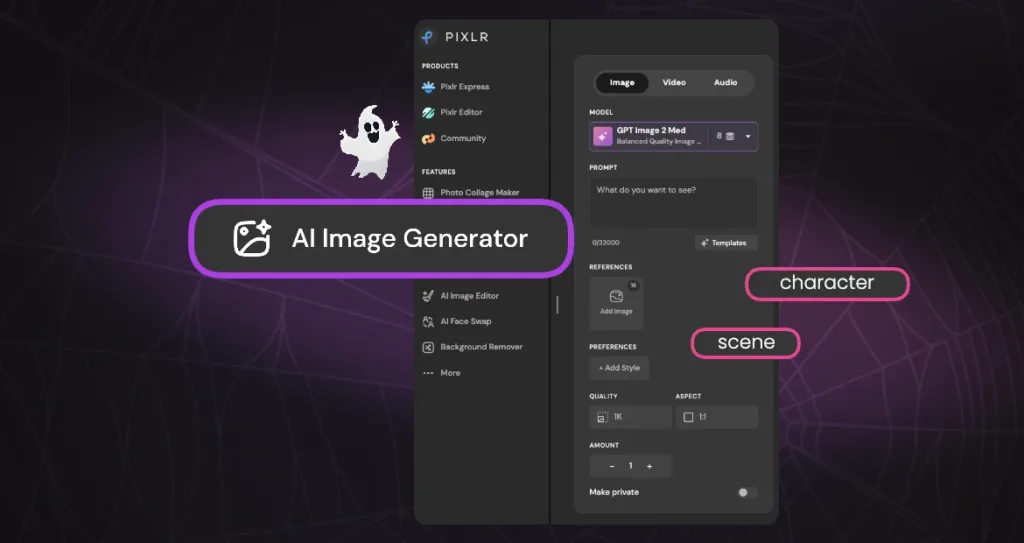
Step 1: Head to Pixlr AI Image Generator, Choose Your Character and Scene
Pick a moment that’s instantly recognizable. The best ones have:
- A distinct visual signature (button eyes, matching dresses, a flower crown)
- A clear lighting mood (washed-out daylight, flickering warm light, rain-streaked neon)
- A memorable composition (symmetrical hallway, close-up portrait, reflection in glass)
The five scenes you can use as inspiration:
- Coraline — button eyes, pale skin, yellow raincoat, storybook-gone-wrong lighting
- The Shining twins — identical girls, blue dresses, symmetrical hallway
- Jennifer’s Body cheerleader — purple uniform, vintage gym
- Midsommar flower close-up — elaborate flower crown covering the face, bright folk-horror daylight
- Obsession car scene — girl’s silhouette in a car window at night
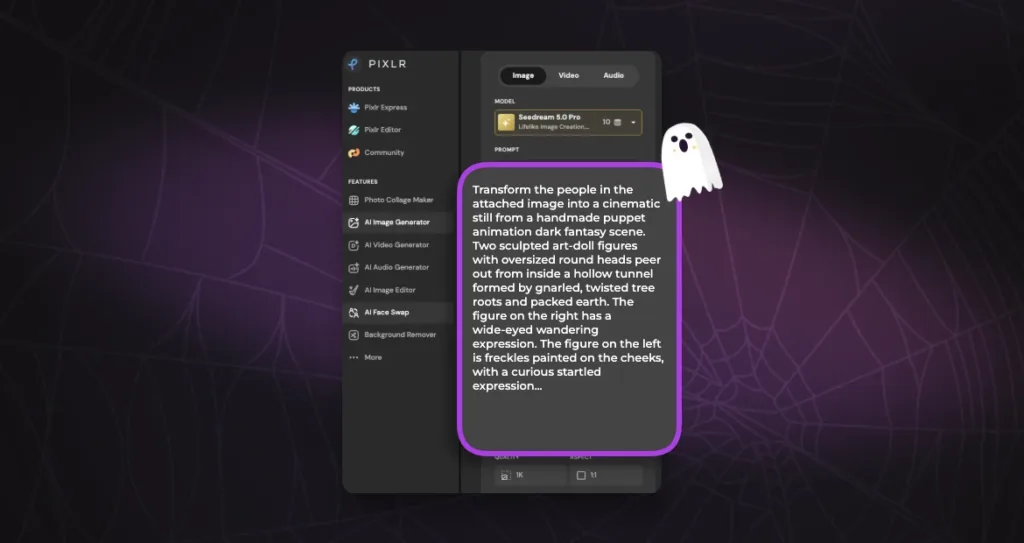
Step 2: Write the Prompt
This is where most people fail. A good horror character prompt has four layers:
- The character — who are you becoming?
- The scene — where are you?
- The mood — lighting, atmosphere, tension
- The style — film still, cinematic, 35mm, animation, etc.
Example prompts:
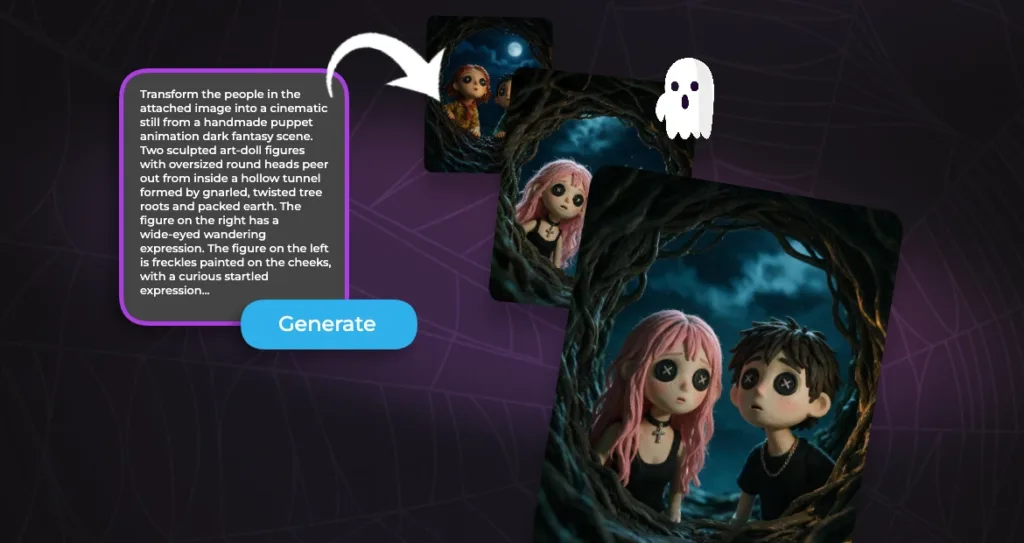
- Button Eyes
“Transform the people in the attached image into a cinematic still from a handmade puppet animation dark fantasy scene. Two sculpted art-doll figures with oversized round heads peer out from inside a hollow tunnel formed by gnarled, twisted tree roots and packed earth. The figure on the right has a wide-eyed wandering expression. The figure on the left is freckles painted on the cheeks, with a curious startled expression. Both figures have large round black button eyes — no human eyes, no pupils, no irises — just flat round black buttons sewn directly onto the smooth sculpted surface of their faces with white X-shaped thread. They lean forward and gaze upward through the circular opening of the root tunnel. Beyond the opening stretches a deep midnight-blue sky with soft swirling clouds. Dramatic low-key lighting: cool blue moonlight spills down from above onto their faces, casting long shadows into the tunnel interior, with a warm amber-yellow glow catching the edges of the roots on the right side of the frame. Visible craft details — fingerprints on the surface, fuzzy fabric fibers, sculpted seams, matte paint texture. Shot like macro product photography, shallow depth of field, 8k, eerie magical storybook atmosphere, muted teal, deep blue, and warm amber palette.”
- Twins in Hallway
“Using the picture, generate a Full-length portrait of two women with neutral expression, standing side-by-side holding hands in a narrow residential hallway with faded floral wallpaper. They wear light blue retro dresses with white Peter Pan collars, puff sheer sleeves, and large white satin bow belts at the waist, with white knee-high socks and black Mary Jane platform shoes. Flat, even, ambient indoor lighting with no flash, no dramatic shadows, Cinematic composition, photorealistic, 35mm film grain, muted retro color grade.”
- Girl Silhouette with Man in Driver Seat
“A cinematic shot of a young man sitting in the driver seat of a car at night. He is looking down at a smartphone, the screen illuminating his face. Outside the car window, in the dark background, stands a woman. She is out of focus and shrouded in shadows, but her blurred facial features and silhouette are just discernible. Eerie, unsettling atmosphere, low key lighting, heavy bokeh, photorealistic.”
- Purple Uniform Cheerleader
“A knee-length shot of a beautiful young woman with long, dark wavy hair, smiling softly at the camera with a gentle, subtle expression. She is a high school cheerleader wearing a purple and gold long-sleeved cheerleading uniform with a V-neck and a pleated skirt. The letters “CK” are embroidered in gold on her chest. She is raising both hands high in a classic cheerleading pose, holding large purple and gold pom-poms. The background is a slightly blurred high school gymnasium with male basketball players in purple jerseys and other cheerleaders. Vintage 2000s aesthetic, early digital camera look, soft grain, slightly washed out colors, cinematic lighting, soft focus background.”
- Flower Close-up Scene
“Generate A cinematic, hyper-realistic medium close-up portrait of a young woman staring directly at the camera with a calm, soft smile, and slightly haunting expression. She is completely engulfed by a massive, chaotic, and overwhelmingly dense explosion of vibrant wildflowers. The flowers do not form a garment or a jumpsuit; instead, they are a wild, organic, overgrown thicket of blooms that completely obscure her shoulders, neck, and torso, blending seamlessly into a massive, towering floral headpiece. The flowers are arranged in a disorganized, natural manner, as if she is emerging from a living, breathing garden. The floral arrangement is a kaleidoscope of colors: bright yellows, deep blues, vivid reds, pinks, oranges, and purples, densely packed with lush green foliage. Visible flower types include daisies, poppies, delphiniums, marigolds, and cornflowers. She has a single, small pink flower tucked into her hair on the left side. Her face is the calm center of this chaotic floral storm; she has a pale complexion, striking blue eyes, and a neutral, unsmiling mouth. The lighting is soft, natural, and warm (golden hour), highlighting the delicate textures of the petals and the smoothness of her skin. The background is a dense, blurred forest with tall trees and dark green foliage, set against a bright, overexposed white sky that washes out the horizon. The shallow depth of field keeps the woman and flowers in sharp focus while the forest and white sky remain soft and out of focus. aesthetic, whimsical folk horror, rich color saturation, highly detailed, photorealistic, 8k resolution.”
If your tool supports image references, upload a photo of yourself and let it swap you into the subject layer. That’s what turns a good image into a personal one.
Step 3: Generate and Refine
Your first output won’t be perfect. That’s normal.
Refine by adjusting:
- Likeness — “keep facial features consistent” or use a reference image
- Lighting — “washed-out daylight” vs. “flickering warm glow” vs. “rain-streaked neon”
- Framing — “close-up portrait” vs. “wide symmetrical shot” vs. “reflection in glass”
- Atmosphere — “smoky” vs. “dusty” vs. “overexposed and unsettling”
Run it 3–5 times, pick the strongest, and upscale or enhance if your tool supports it.
The Takeaway
You’ve recognized the scenes; now be in them. Grab a photo, pick a character, and write your first prompt; that’s all it takes to go from viewer to main character, whether that’s button eyes, matching dresses, a flower crown, or a rain-streaked silhouette in the glass. Make one, then make all five, then share your favorites with friends and see who spots the reference first and who asks how you made it. The scariest part? How easy it is.